
Hey there, fellow business owner! If you're like many coaches, course creators, and online entrepreneurs I work with (and like me!), you're probably using ThriveCart to power a significant part of your online sales. It’s a fantastic tool. But let's be honest, as our businesses grow and we start offering more sophisticated subscription plans or memberships, managing those recurring payments can sometimes feel… well, a bit clunky.
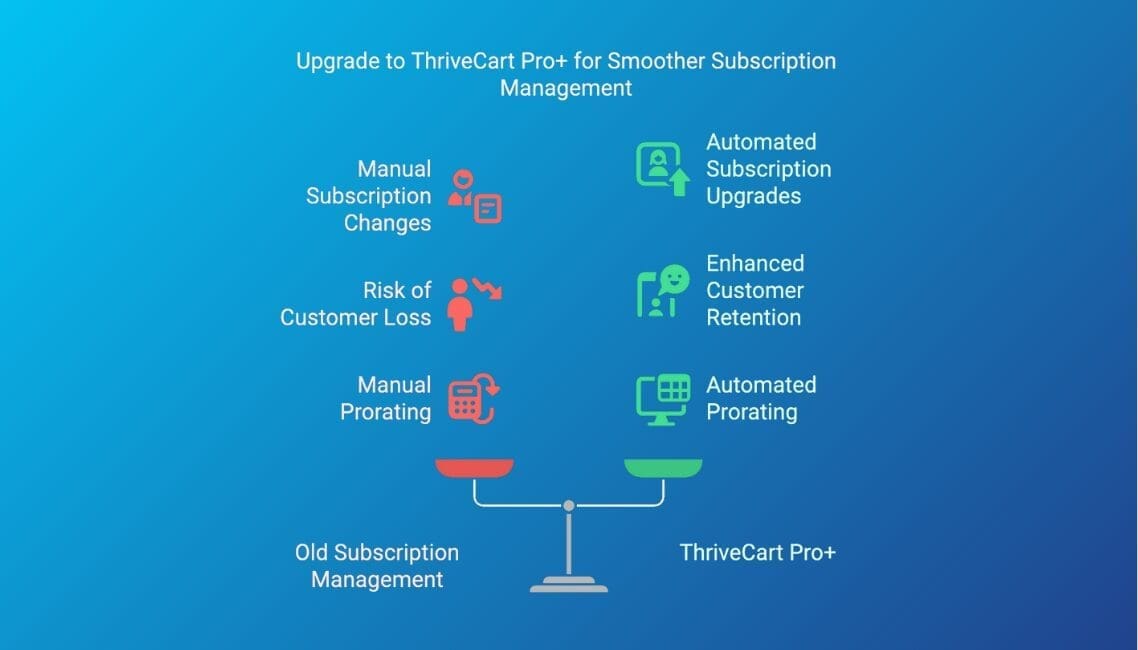
Remember the heart-sinking feeling when a valued customer on a monthly plan wanted to upgrade or downgrade? The old dance of manually canceling their current subscription, then asking them to sign up again for the new one? Not only was it a time-drain, but it also opened up the risk of that customer drifting away during the switch. And don't even get me started on trying to figure out prorating by hand!
For a while, it felt like we were creatively stretching ThriveCart beyond its original design for one-off sales funnels. We made it work, but we secretly wished for something smoother, especially for subscriptions.
Well, I'm thrilled to tell you that ThriveCart has been listening. With the introduction of ThriveCart Pro+, particularly its "Recurring Revenue Upgrades," managing subscriptions has transformed from a headache into a breeze. As someone who uses Pro+ daily and manages it for my clients, I've seen firsthand what a game-changer this is.
In this article, I'll walk you through why this Pro+ feature is a massive win, explore some other handy additions in Pro+, and, crucially, tell you about a limited-time lifetime upgrade offer for existing users ending June 22nd that you seriously don’t want to miss.
Update: The limited-time upgrade offer for existing users has expired. I hope you upgraded and got lifetime Pro+ access! All new ThriveCart Pro+ upgrades are now an annual subscription.
The "Oh-So-Painful" Past vs. The "Thank Goodness!" Present: Subscription Management with Pro+
Let’s take a moment to appreciate just how big a deal the new subscription handling in Pro+ is.
The Old Struggle (Why This Update is a HUGE Deal)
Before Pro+, if a client on your $47/month membership wanted to jump to your premium $197/month tier, the process was… less than ideal.
- You’d have to manually cancel their existing $47/month subscription.
- Then, you’d need to ask your client to go and purchase the new $197/month tier. This often meant sending them a direct link and hoping they completed the new checkout promptly.
- The scary part? Any friction or delay increased the risk of losing that customer. Life happens, they might forget, or simply decide not to re-subscribe.
- And prorating? If they switched mid-month, figuring out how much they’d already paid versus what they owed for the new plan was a manual calculation often leading to confusion for both you and your customer, or you just skipped it to avoid the hassle, potentially leaving money on the table or overcharging.
It was time-consuming, prone to errors, and definitely not the seamless experience we want to offer our clients. As someone managing multiple client accounts, I can tell you the admin time really added up!
Enter ThriveCart Pro+ & "Recurring Revenue Upgrades": Your New Best Friend
This is where ThriveCart Pro+ (Pro Plus) truly shines and, in my opinion, justifies the upgrade alone for many businesses. What ThriveCart calls "Recurring Revenue Upgrades" is their smart, automated system for handling any changes to a customer's subscription plan – whether it's an upgrade to a higher tier or a downgrade to a lower one.
Here’s how it works (and why it's so brilliant for us busy entrepreneurs):
- Your customer decides to change their plan. They might click a link in their members' area or one you send them.
- They select their new desired plan.
- ThriveCart Pro+ takes over automatically.
- Their old subscription is canceled silently in the background. No more alarming "Your Subscription Has Been Canceled" emails that could confuse them!
- Prorated amounts are calculated and applied automagically. If they’re upgrading, ThriveCart figures out any unused credit from their previous plan and applies it to the first payment of the new plan. If they're downgrading, it handles the transition smoothly at the end of their current billing cycle.
Let's look at a couple of common subscription scenarios I see often
The Subscription Upgrade:
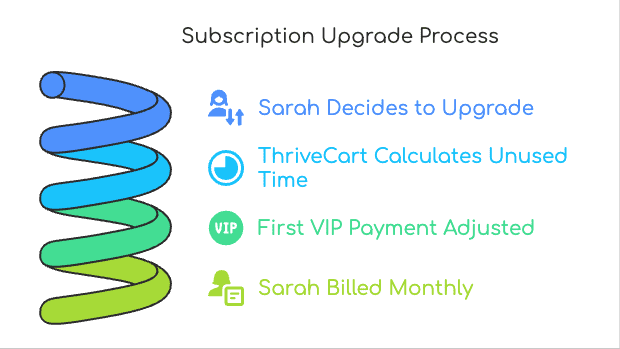
Imagine Sarah is on your '$29/month Basic Membership,' billed on the 7th of each month.
On May 20th, she decides she’s ready for your '$99/month VIP Coaching Circle.'
With Pro+, she clicks to upgrade. ThriveCart calculates she has about 18 days of unused 'Basic' time (worth, say, $16.78). So, her first payment for the VIP Circle is $99 - $16.78 = $82.22.
Then, she’s billed $99/month from June 20th onwards.
Seamless for Sarah, hands-off for you!
The Subscription Downgrade:
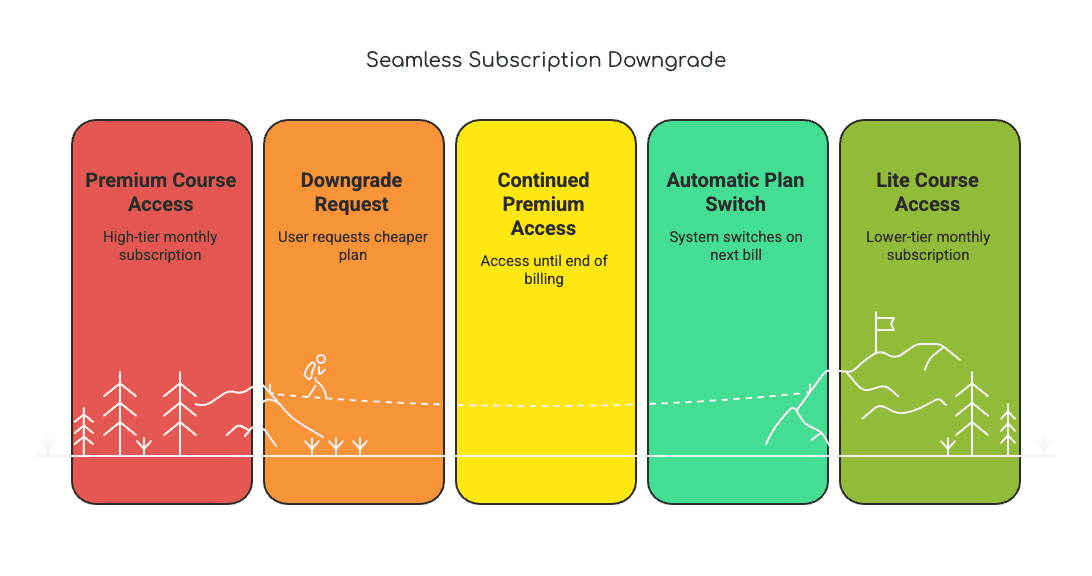
Tom is on your '$99/month Premium Course Access,' billed on the 1st.
On the 20th of the month, he decides to switch (downgrade) to your '$29/month Lite Access.'
Because the new plan is cheaper, ThriveCart ensures Tom gets the full value of his current $99 month. So, his access continues at the premium level until the end of the month,
Then it automatically switches to the $29/month Lite plan from the 1st of the next month.
No awkward refunds, no manual tracking.
The Big Wins for YOU (and why I love this for my clients)
- Massive Time Saver: Seriously, the hours you (or your VA) will get back from not having to manually process these changes are huge.
- Drastically Reduced Churn Risk: By making the process instant and internal, you're not giving customers an "out" or a chance to second-guess their decision to stick with you.
- Eliminates Prorating Frustration: The system handles it fairly and accurately every time. No more spreadsheets or mental math!
- Boosts Customer Experience: Your customers get a professional, transparent, and easy experience, which builds trust and satisfaction. They just click, and it's done.
- (A little tech insight: This seamless integration is largely thanks to ThriveCart’s new custom API connection with Stripe, which they call Connect+. You don't need to know the ins and outs, just that it makes this smooth process possible!)
Honestly, the peace of mind this single feature set brings is incredible. It allows you to confidently offer different subscription tiers and encourage movement between them, knowing the backend is handled.
Boost Customer Trust & Ensure Legal Compliance
Here’s another massive win, especially for those of us selling internationally. As our businesses grow, so does the complexity of global regulations. You may have heard of the new 'Click-to-Cancel' rulings in the EU, which legally require that a subscription be as easy to cancel as it was to sign up for.
'Click-to-Cancel' rulings in the EU legally require that a subscription be as easy to cancel as it was to sign up for.
Instead of forcing you to scramble for a custom-coded solution (or just hope for the best), ThriveCart has already integrated this.
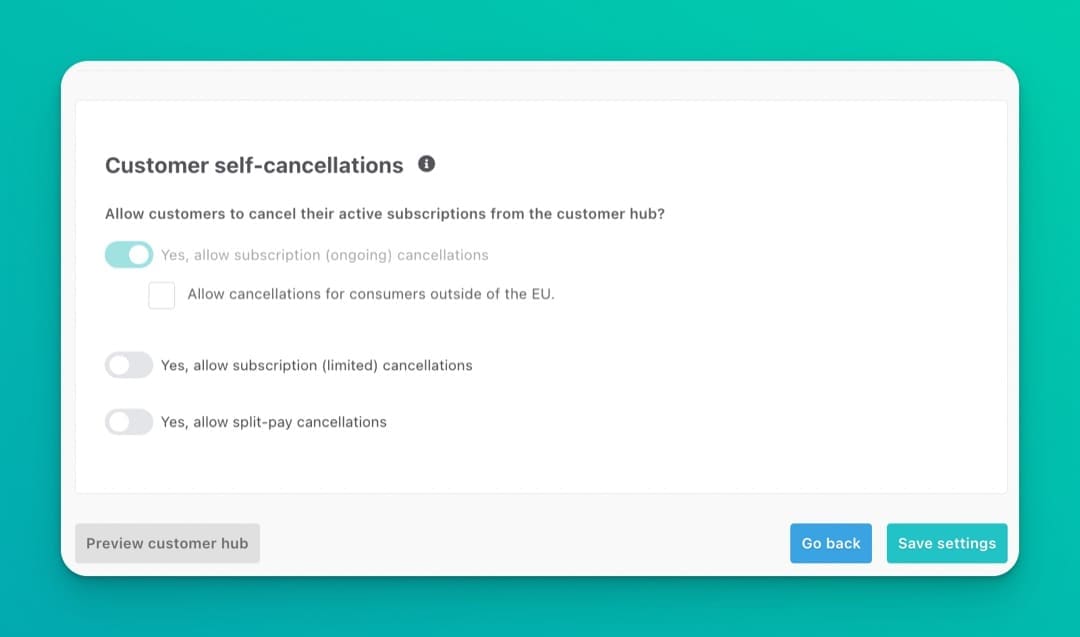
For Pro+ users with Stripe Connect+, they've introduced product-level cancellation controls. This means you can stay fully compliant with these new European laws with zero extra work.
This isn't just about ticking a legal box; it's about building deep, lasting trust with your customers. It shows them you run a professional, transparent business. This feature is a prime example of how ThriveCart is maturing into a platform that doesn't just help you make sales, but helps you manage your entire business responsibly and automatically.
But Wait, There's More! Other Pro+ Goodies to Streamline Your Business
While the subscription management is, for me, the star of the Pro+ show, ThriveCart didn't stop there. They've rolled out several other enhancements designed to make our lives as busy entrepreneurs a bit easier. Here are a few I think you’ll appreciate:
Upgraded Sales & Product Reporting
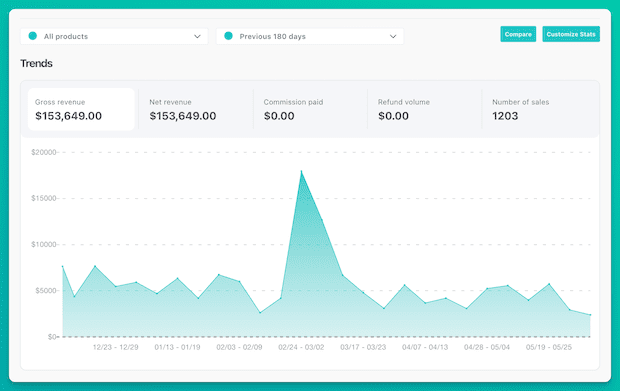
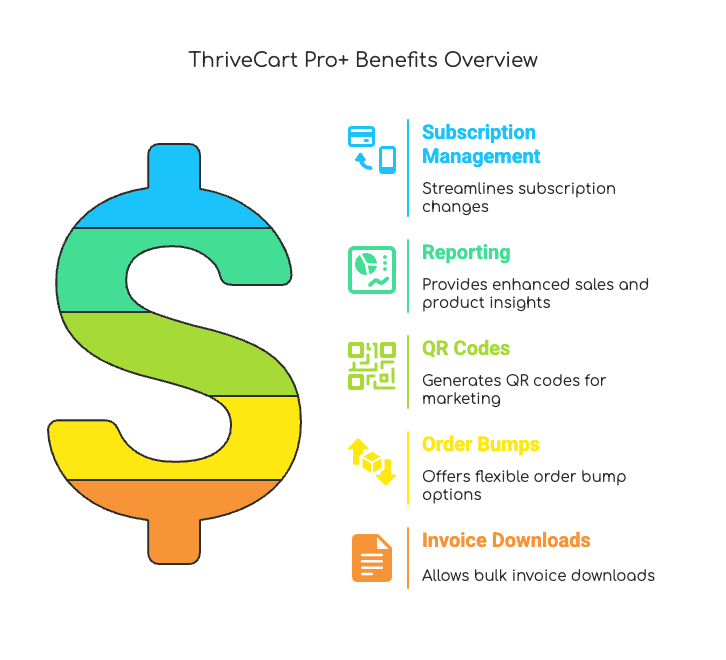
Understanding your numbers is key, right? But who has time to become a data analyst? The reporting features in Pro+ have seen some nice upgrades. This means you can get clearer, more actionable insights into your sales and product performance. Think easier-to-understand breakdowns of what’s selling, where your revenue is coming from, and how different products or funnels are performing over time. For my clients, this often helps pinpoint what marketing efforts are paying off and where to focus their energy for better results – all without needing to wade through complicated spreadsheets.
QR Code Generation
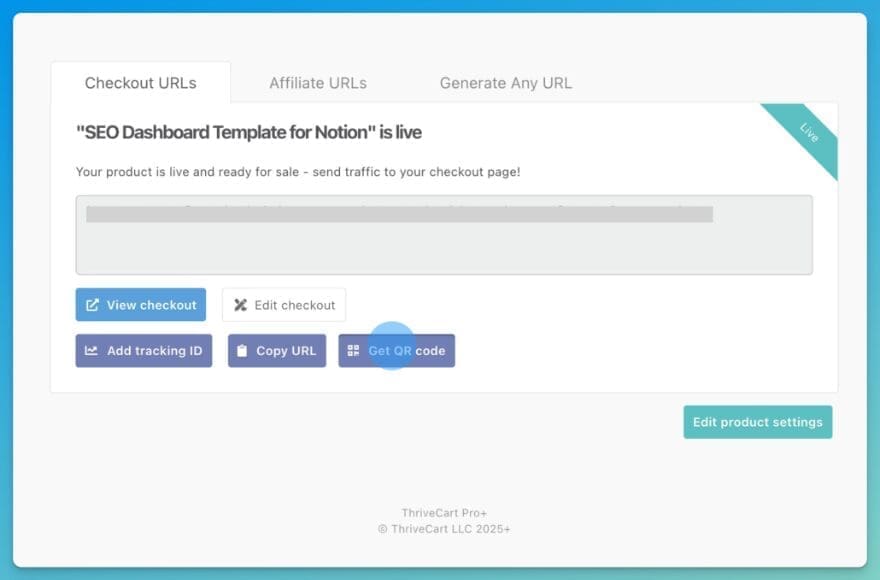
This one might seem small, but it’s surprisingly handy! With Pro+, you can generate QR codes directly within ThriveCart for your products or funnels. Why is this cool?
- Bridge Offline and Online: If you ever do in-person events, workshops, or even sell physical products that have a digital component, you can pop a QR code on your materials to send people straight to a sales page or opt-in.
- Easy Access: Include a QR code on a thank you card that ships with a physical product, leading to a bonus digital guide.
- Quick Share: Flash it on screen during a webinar for an exclusive offer.
It just makes connecting the physical and digital worlds a little smoother.
Multiple Order Bumps with a Scrollable Twist
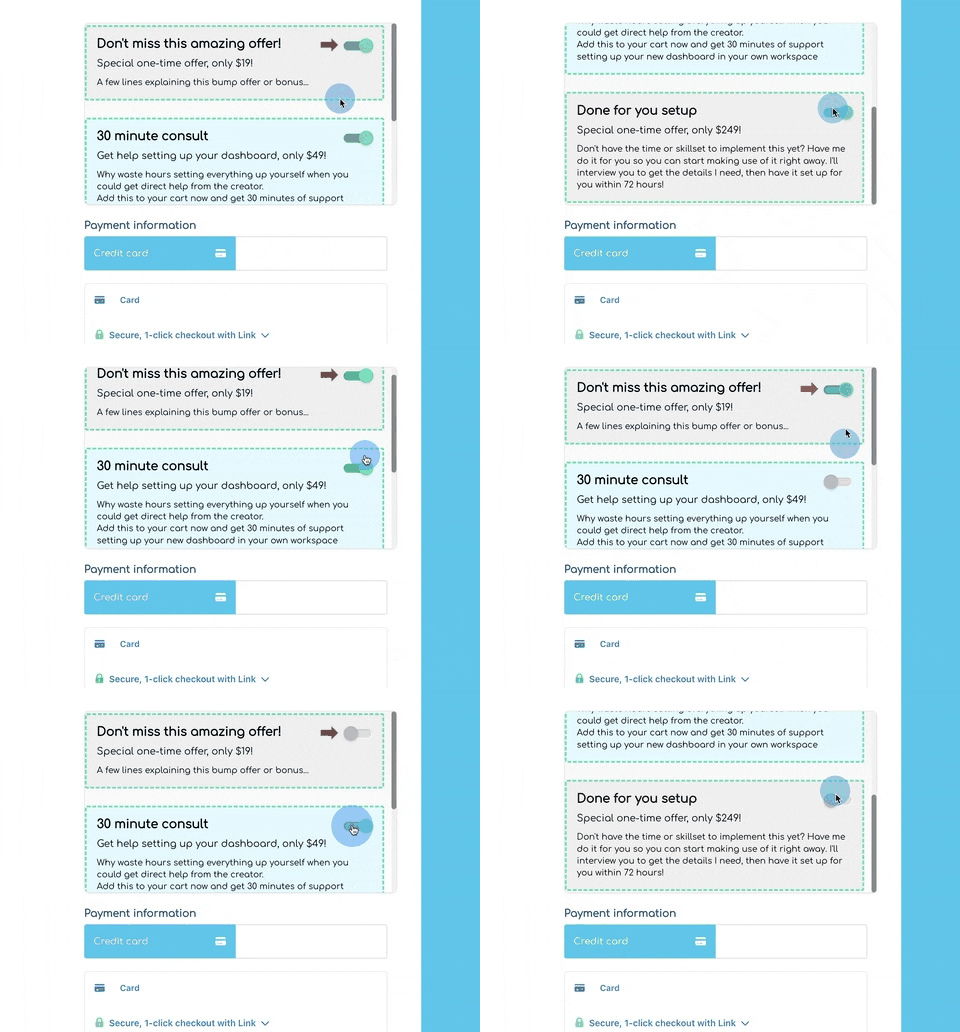
We all love order bumps for increasing that average order value. ThriveCart has allowed multiple order bumps for a while, but Pro+ introduces a new way to display them: you can now make the order bump section on your checkout page scrollable.
Now, I'll be honest, as a general rule, I'm cautious about scrollable areas within a page because sometimes users can scroll right past them without realizing there's more to see inside that specific section. However, I can see this being particularly beneficial for mobile users, where screen space is at a premium. It allows you to offer several relevant bumps without making your mobile checkout page a mile long.
My advice here? Use it thoughtfully. If you have, say, 3-5 order bumps, the scrollable feature could keep your page tidy. Just make sure your checkout page design gives a clear visual cue that more bump options are available by scrolling within that section. Test it on mobile yourself to see how it feels. When done right, it’s a neat way to offer more without overwhelming your customer.
Bulk Invoice Downloads
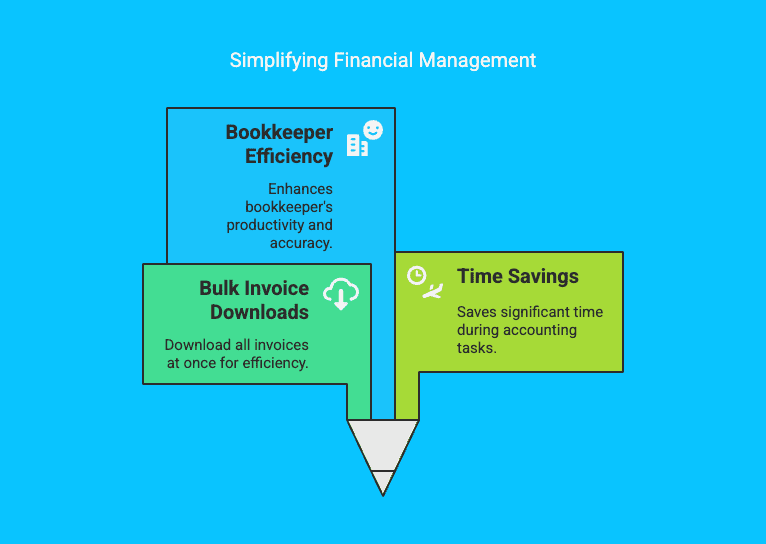
Ah, the joys of admin! Especially when it comes to accounting and tax time. Pro+ brings a simple but highly appreciated feature: bulk invoice downloads. Instead of having to download invoices one by one (which, if you have many customers, is a special kind of torture), you can now grab them all in one go. This is a genuine time-saver and can make life much easier for you or your bookkeeper. Trust me, when year-end comes around, you'll thank yourself for having this.
ThriveCart Isn't Just a Funnel Tool Anymore (And That's Great News!)
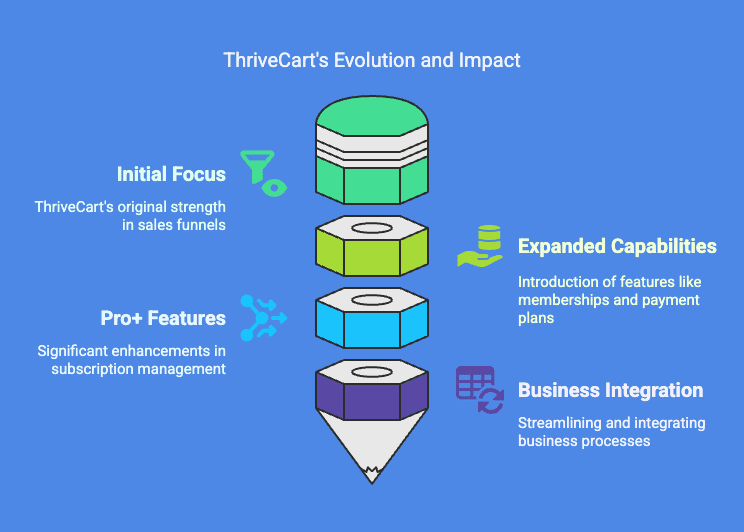
If you've been with ThriveCart for a while, you've likely seen its evolution. It started strong as an incredible tool for creating high-converting sales funnels for individual products and offers. And it still excels at that. But as online businesses have become more sophisticated, our needs have grown too. Many of us, myself included, started using ThriveCart for much more – memberships, payment plans, and a wider array of products.
The introduction of ThriveCart Pro+ features, especially the robust subscription management we talked about, is a clear signal that ThriveCart is listening and evolving right alongside us. These aren't just minor tweaks; they represent a significant step towards making the platform a more comprehensive "shopping cart" and "subscription management" solution that many of us have been hoping for.
As someone who helps clients build out their entire sales systems, I see this as a massive plus. It means we can rely on ThriveCart for even more aspects of our businesses, keeping things streamlined and integrated. It’s exciting to see the platform mature and adapt to the diverse ways we're all running our online enterprises, from simple course sales to complex recurring membership models.
Is ThriveCart Right For Your Business Though?
Now, as much as I clearly love what ThriveCart and its Pro+ features offer, it's also true that no single tool is perfect for everyone. Your specific business model, technical comfort level, and integration needs all play a part in choosing the right platform. If you're still wondering if ThriveCart is the best foundation for your sales and funnels, I've written another article that dives deeper into that exact question. It might help you clarify if it's the right fit before you consider any upgrades.
You can read it here: Is ThriveCart the Best Cart and Funnel Platform for Your Business?
Less Admin, More Business Growth
So, what's the bottom line? ThriveCart Pro+ isn't just a collection of new bells and whistles. It's a significant upgrade that directly addresses some of the biggest operational pain points for online business owners, particularly when it comes to managing subscriptions.
From my experience, the ability to handle subscription upgrades and downgrades smoothly and automatically is worth its weight in gold. It saves time, reduces the risk of customer churn during plan changes, and eliminates those frustrating prorating calculations. Add to that the improved reporting, handy QR codes, flexible order bumps, and bulk invoice downloads, and you've got a suite of tools that genuinely helps you run your business more efficiently.
This evolution of ThriveCart shows a commitment to supporting businesses like yours and mine as we grow. And for existing users, with the Pro+ lifetime deal on the table until June 22nd, there's never been a better time to enhance your ThriveCart experience. It’s an investment in less admin hassle, smoother customer journeys, and ultimately, more capacity for you to focus on growth.
Your Next Step
Ready to revolutionize your subscription management and unlock the full power of ThriveCart for your business? Here’s how you can move forward:
For Existing ThriveCart Account Holders:
If you haven't upgraded to Pro+, you can log in to your ThriveCart Standard account (still a lifetime offer) and upgrade to Pro+ on an annual subscription. Click here to learn more and upgrade your account
New to ThriveCart? Here’s Your Path:
If you're not a current ThriveCart account holder, you can still get in on the action!
- Start by purchasing the ThriveCart Standard account, which is itself a fantastic lifetime deal.
- During the checkout process, you'll have the option to add ThriveCart Pro+ as an annual subscription (currently $295/year).
Investing in Pro+ annually is, in my opinion, well worth it. When you compare the cost and functionality to other sales funnel platforms, or the expense and hassle of piecing together similar features with WordPress and multiple WooCommerce plugins (which can easily run you much more per year!), ThriveCart with Pro+ offers incredible value and power.
Click here to get started with ThriveCart
Have questions about ThriveCart Pro+, the different options, or whether it's the right fit based on what I've shared from my experience? Feel free to drop a comment below – I’m happy to help if I can!





0 Comments