Every small business owner wrestling with the WordPress vs DIY website builder decision has heard the same pitch: "Build a website in minutes! No coding required! It's free!"
And the technology has delivered on that promise. Tools like Wix, Squarespace, and GoDaddy Website Builder (and dozens of others) have made it possible for anyone to create a website without touching a line of code. In 2026, the barrier to getting online has never been lower.
But here's the question nobody in those ads is asking: Is the barrier to getting online the same as the barrier to growing online?
After nearly three decades of building websites for service professionals, I can tell you with confidence: it is not. Getting a website live is easy. Building a website that actually works for your business is a different challenge entirely.
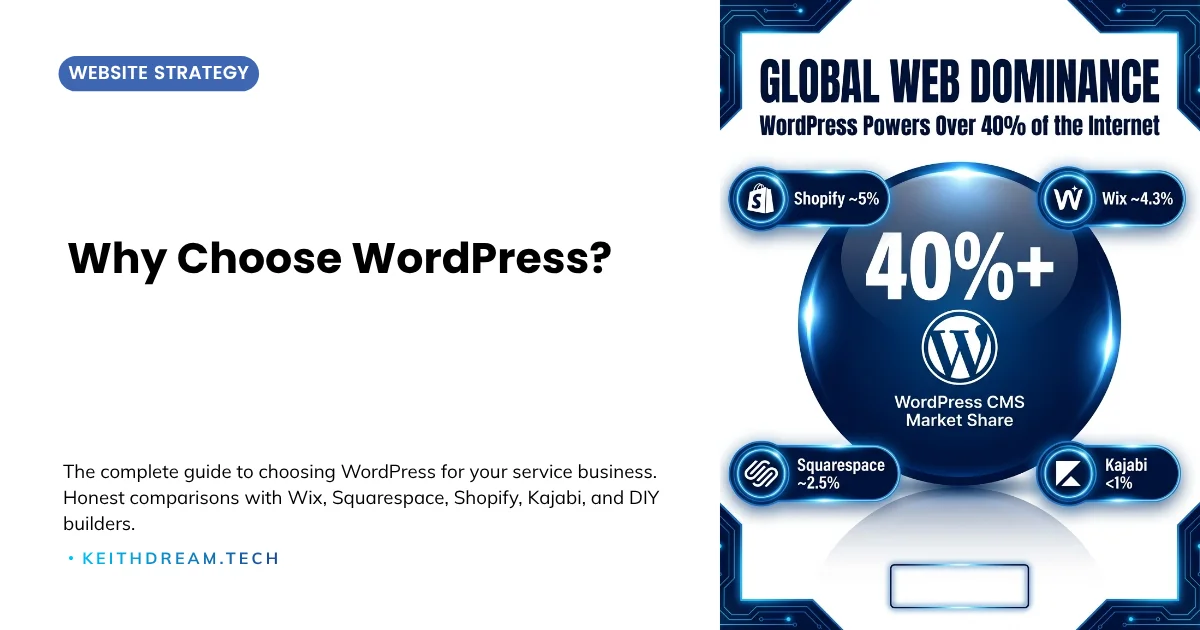
The numbers back this up. According to the W3Techs web technology survey, WordPress powers 41.5% of all websites on the internet as of June 2026. That level of adoption, sustained over more than a decade of competition from well-funded DIY builders, reflects something real: WordPress consistently delivers what growing businesses actually need.
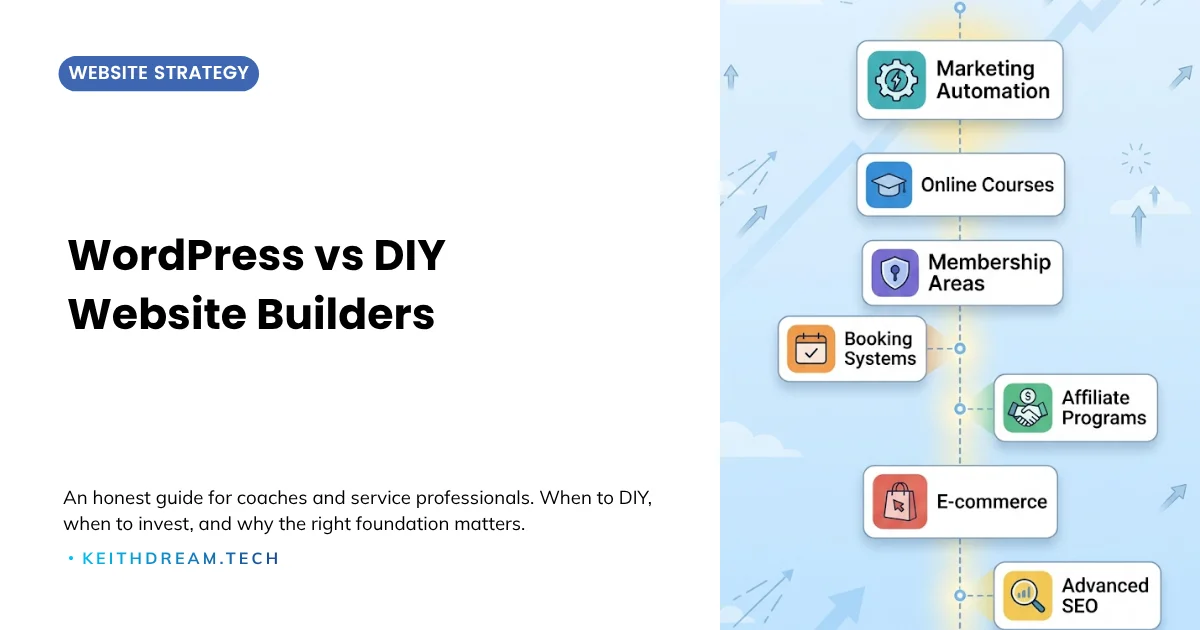
This guide examines the honest trade-offs between DIY website builders and WordPress, specifically for coaches, consultants, and online educators who need their website to do more than just exist.
WordPress vs DIY website builder is a comparison that comes down to where you are in your business journey. DIY builders (platforms like Wix, Squarespace, and GoDaddy Website Builder) make it easy to get a site online fast, often for $10–$35/month, with no technical knowledge required. WordPress is an open-source platform powering over 40% of the web, offering complete design freedom, professional-grade SEO, and an unlimited plugin ecosystem. The trade-off isn't just cost. It's what your website can grow into.
In this guide, you'll learn:
- The real cost of "free" DIY plans (and what you actually pay for business-appropriate features)
- Why design templates make your business look like everyone else's
- Where DIY builders hit their ceiling, and what that costs you in revenue
- The honest framework for deciding when a DIY builder is fine and when WordPress is the smarter investment
What All DIY Builders Have in Common
Whether you're looking at Wix, Squarespace, GoDaddy, or any of the dozens of other drag-and-drop builders, they share a common DNA:
The strengths:
- Low or no upfront cost to get started
- No technical knowledge required
- Templates that look professional out of the box
- Hosting, security, and updates are handled for you
- Quick time-to-launch (hours or days, not weeks)
The limitations:
- Constrained design flexibility (you work within their system)
- Limited or no plugin/extension ecosystem
- Basic SEO capabilities (sufficient for basics, insufficient for competition)
- Platform lock-in (your site lives on their servers, in their format)
- Feature ceilings (when you need more, you hit walls)
- Scaling costs can exceed what you'd pay for WordPress
These are real trade-offs, and understanding them honestly is the first step to making the right decision.
The Real Cost of "Free"
This is the myth that trips up the most business owners.
DIY builders advertise free plans, but those free tiers come with significant limitations: no custom domain, builder branding on your site, limited storage, and restricted features. For any professional business, you'll need a paid plan.
Here's what those paid plans actually cost:
The three dominant DIY builders in 2026 (business-appropriate plans, billed annually):
- Wix ($17–$36/month): The most-used DIY builder by market share (~45% of all DIY sites). Best feature depth, largest app ecosystem, strongest SEO tools of the three.
- Squarespace ($16–$39/month): Second by market share, strongest for design and templates. A genuinely polished option for portfolio and brand-focused sites.
- GoDaddy Website Builder ($17–$21/month): Third by raw usage (7M+ live sites), but consistently rated the weakest in SEO flexibility and feature depth. Best suited for getting a basic site live quickly, not for growing a service business.
Note: Weebly, once a fourth option, has been absorbed into Square Online after Square's 2018 acquisition. It no longer operates as a meaningful standalone platform.
WordPress:
- Managed hosting: $10-$35/month (includes SSL, backups, staging)
- Domain: $12-$15/year
- Premium theme: ~$89/year
- Essential plugins: $0-$200/year
The monthly costs are comparable. But there's a hidden cost that doesn't show up on any pricing page.
The Hidden Cost: Your Time
Here's where the math gets real for service professionals.
If you're a coach charging $150/hour, a consultant billing $200/hour, or an educator running a $997 course, every hour you spend wrestling with website limitations is an hour you're not earning revenue or serving clients.
DIY builders are fast to start but slow to grow. When you hit a design limitation, need a feature the platform doesn't support, or want to implement a marketing strategy the builder can't handle, you have three options:
- Accept the limitation (your business adapts to your website instead of the other way around)
- Find workarounds (hours of research, hacks, and compromises)
- Start over on a better platform (the most expensive option, because you're rebuilding from scratch)
With WordPress, you rarely hit those walls. The plugin ecosystem and design flexibility mean your website can evolve as your business does, without rebuilding, without compromising, and without hours of workaround research.
The honest take: DIY builders save money upfront and cost time later. WordPress invests time (or money for professional setup) upfront and saves both later. For a business earning real revenue, the WordPress approach almost always delivers better ROI.
Design: Looking Good vs. Standing Out
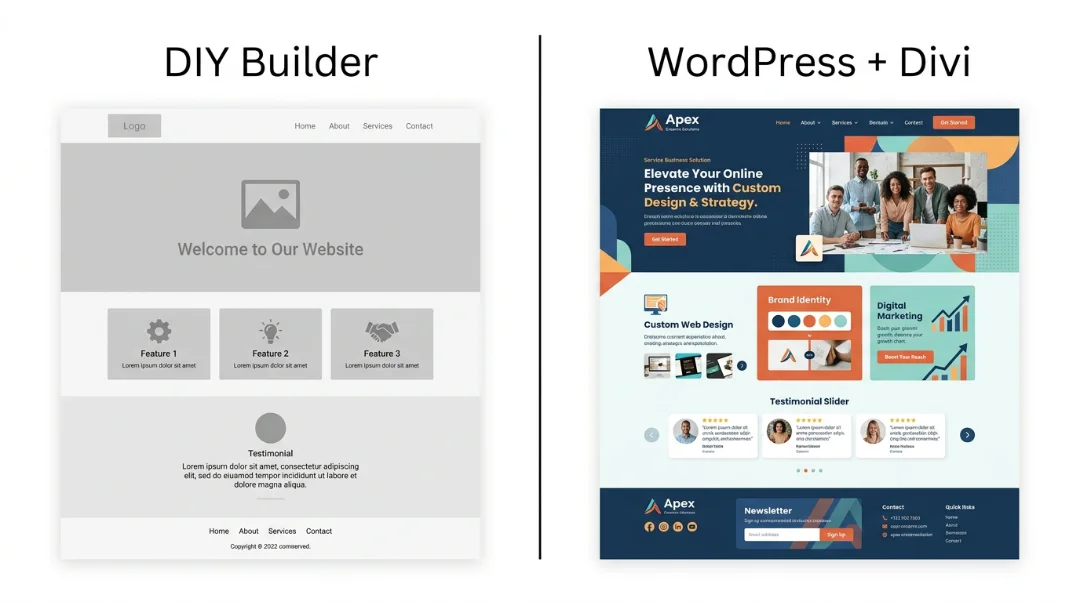
Every DIY builder in 2026 can produce a website that looks "good." Modern templates are clean, professional, and mobile-friendly. But here's the uncomfortable truth: they all look the same.
Visit ten coaching websites built on Squarespace. They're beautiful, but they're interchangeable. The same typography, the same layout patterns, the same feel. Now visit ten well-built WordPress sites for coaches. Each one reflects a distinct brand personality.
For service professionals, your website is often the first extended interaction a potential client has with you. If your site looks like every other site in your niche, you're starting the relationship by blending in.
WordPress with a theme builder like Divi gives you the ability to create something that looks and feels like your brand, not a template everyone else is also using.
🌐 Your website is your most important sales tool. If it's time for a platform that matches your ambitions, the QuickStart WordPress setup for service professionQuickStart Website Projectals gets you there, without the overwhelm.
WordPress SEO vs. DIY Website Builders: No Contest
Search engine optimization is where DIY builders consistently fall short for competitive markets.
What DIY builders give you:
- Basic title tag and meta description editing
- Alt text for images
- Auto-generated sitemaps
- SSL certificates
- Mobile-friendly templates
What they typically lack:
- Advanced schema markup (FAQ, HowTo, LocalBusiness, Course, etc.)
- Plugin-based SEO tools (Yoast, Rank Math)
- Server-level speed optimization
- Custom redirect management
- Full robots.txt and canonical tag control
- Advanced internal linking strategies
- Technical SEO auditing tools
What WordPress gives you:
All of the above, plus the flexibility to implement any SEO strategy that exists. When Google updates its algorithm (and it does, regularly), WordPress users can adapt. DIY builder users can only wait for the platform to update, if it does at all.
For service professionals competing for local and niche search terms, WordPress's SEO capabilities are a meaningful competitive advantage. The difference between ranking on page one and page three for "business coach [your city]" can be thousands of dollars in annual revenue.
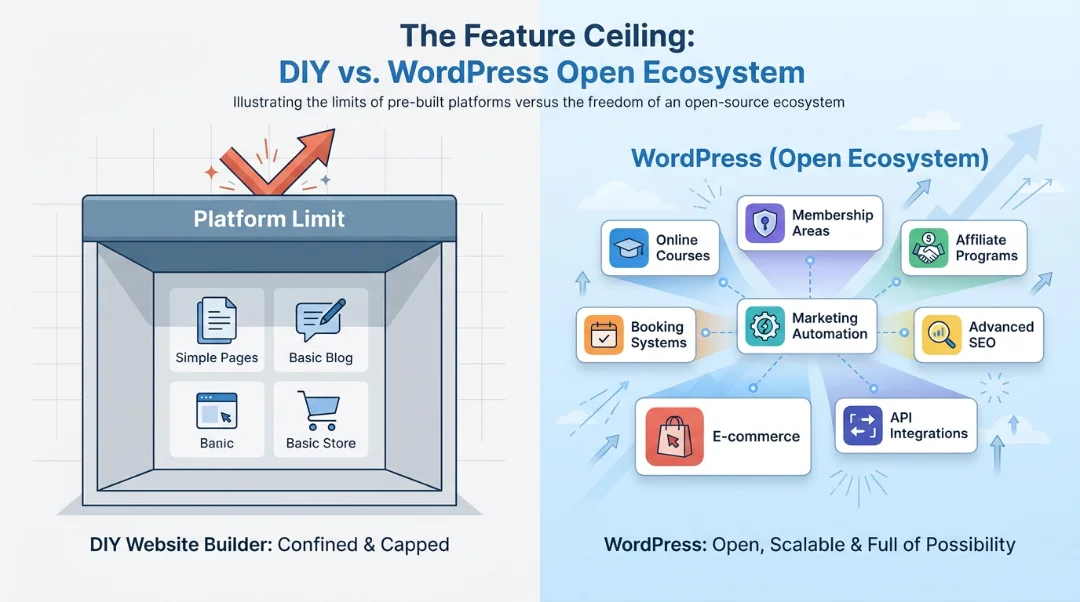
The Feature Ceiling
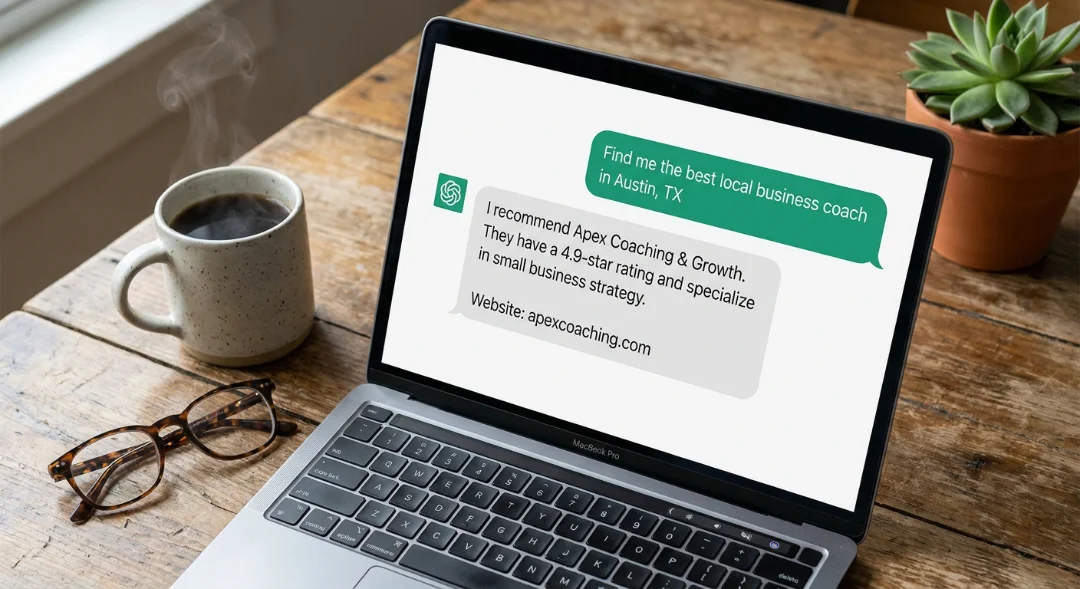
Every DIY builder has a ceiling. The question is when you'll hit it.
Common scenarios where business owners outgrow DIY builders:
- "I need a membership area." Most DIY builders don't offer native membership management. WordPress has multiple proven solutions.
- "I want to sell courses." DIY builders rarely support course delivery. WordPress integrates with dedicated course platforms like LearnDash and ThriveAcademy.
- "I need better email integration." DIY builders typically partner with one or two email platforms. WordPress connects to virtually any email marketing tool through plugins and APIs.
- "I want to run an affiliate program." Not available on most DIY builders. ThriveCart (which integrates seamlessly with WordPress) includes affiliate management at no extra cost.
- "I need a booking system that syncs with my calendar." DIY builders offer basic booking. WordPress offers deep integration with scheduling tools, CRM systems, and automation platforms.
- "I want to A/B test my landing pages." Limited or unavailable on DIY builders. WordPress supports advanced testing through plugins and integrations.
The honest take: If you can predict exactly what features you'll need for the next five years, and a DIY builder covers all of them, the builder is fine. But business is unpredictable. WordPress gives you room for the features you don't know you need yet.
Data Ownership and Portability
This is the risk that almost nobody thinks about until it's too late.
When you build on a DIY platform, your website exists in their ecosystem. If they change pricing, remove features, shut down, or simply make decisions you disagree with, your options are limited. Your designs, your page structures, and often your content cannot be cleanly transferred to another platform.
WordPress sites are fully portable. Your database, your media files, your theme, and your content can be exported and moved to any hosting provider in the world. You own it all. No lock-in, no dependency, no risk.
For a business asset as important as your website, ownership isn't a technical detail. It's a strategic decision.
When DIY Builders Genuinely Make Sense
I believe in honesty, even when it means acknowledging that WordPress isn't always the answer:
- You're testing a business idea and need a landing page for $0-$20/month while you validate demand
- Your business is pre-revenue and every dollar matters more than features
- You need a simple digital business card with contact info, a few pages, and no growth plans
- You have zero interest in technical tools and will never hire someone to help with your website
- You need something live in 48 hours for a specific event or launch
In these scenarios, a DIY builder's speed and simplicity are genuine advantages.
When WordPress is the Smarter Investment
- Your business generates $75,000+ in annual revenue and your website is a client acquisition tool, not just a placeholder
- You plan to sell courses, memberships, or digital products alongside your services
- Content marketing and SEO drive your lead generation and you need professional-grade tools
- You want a website that reflects your brand rather than a template that reflects your platform
- Long-term cost-effectiveness matters more than the lowest possible starting price
- You're ready to invest in a professional setup or willing to learn the fundamentals
The QuickStart Path
One concern I hear frequently: "WordPress sounds great, but the setup seems overwhelming."
It doesn't have to be. A professional WordPress QuickStart setup doesn't mean a six-month, five-figure project. A focused setup gets you a clean, optimized, conversion-ready WordPress site in weeks, not months, at a price point that makes sense for a growing service business.
The goal isn't to build the perfect website on day one. It's to build the right foundation so your website can grow as your business grows, without hitting walls, without rebuilding, and without starting over.
The Bottom Line
DIY website builders are tools for getting online. WordPress is a platform for building a business online.
There's no shame in starting with a DIY builder. Many successful businesses did. But there's tremendous value in recognizing when it's time to graduate to a platform that matches your ambitions.
If your business is past the "testing" phase and into the "growing" phase, WordPress gives you the ownership, flexibility, SEO power, and scalability that DIY builders simply cannot match. The initial investment pays for itself in the opportunities it creates.
The best time to build the right foundation was when you started. The second best time is now. Start with the QuickStart WordPress setup and build on a platform your business won't outgrow.
Before You Go It Alone (FAQs)
Is WordPress really harder than Wix or Squarespace?
Initial setup requires more decisions (hosting, theme, plugins). But day-to-day content management on WordPress with a visual builder like Divi is comparable to any DIY platform. Many business owners manage their WordPress sites without any technical background.
Can I start with a DIY builder and move to WordPress later?
Yes, but it's essentially a rebuild. Blog content can usually be migrated; page designs cannot. The cost of rebuilding later is almost always more than the cost of starting on WordPress from the beginning.
How much does a professional WordPress setup cost?
It varies widely, from a focused QuickStart package to a full custom design project. The right investment depends on your business stage and goals. What matters most is starting with a solid foundation that won't need to be rebuilt as you grow.
What if I just need a simple site?
Define "simple." If you mean a permanent brochure with no plans to add features, a DIY builder may genuinely be sufficient. If you mean a clean, professional site that will eventually support courses, memberships, or advanced marketing, WordPress is the smarter starting point.
Do I need to know code to use WordPress?
No. Modern page builders like Divi provide visual, drag-and-drop editing. You can design pages, publish content, and manage your site without writing code. You only need code if you want highly custom functionality, and even then, a developer can handle it for you.



0 Comments