You've probably heard this before: "Just use Wix. It's free, it's easy, and you can build a website in an afternoon."
And honestly? That's not wrong. Wix is easy to get started with. For a hobby blog or a simple portfolio, it does the job. But if you're running a service-based business, coaching practice, or online education platform, "easy to start" and "built to grow" are two very different things.
I've been building websites for businesses since 1997. I've helped many clients navigate the WordPress vs Wix decision after outgrowing what their current site could deliver, and the conversation almost always starts the same way: "I love my business, but my website is holding me back."
This guide will give you an honest comparison so you can decide which platform actually fits where your business is headed, not just where it is today.
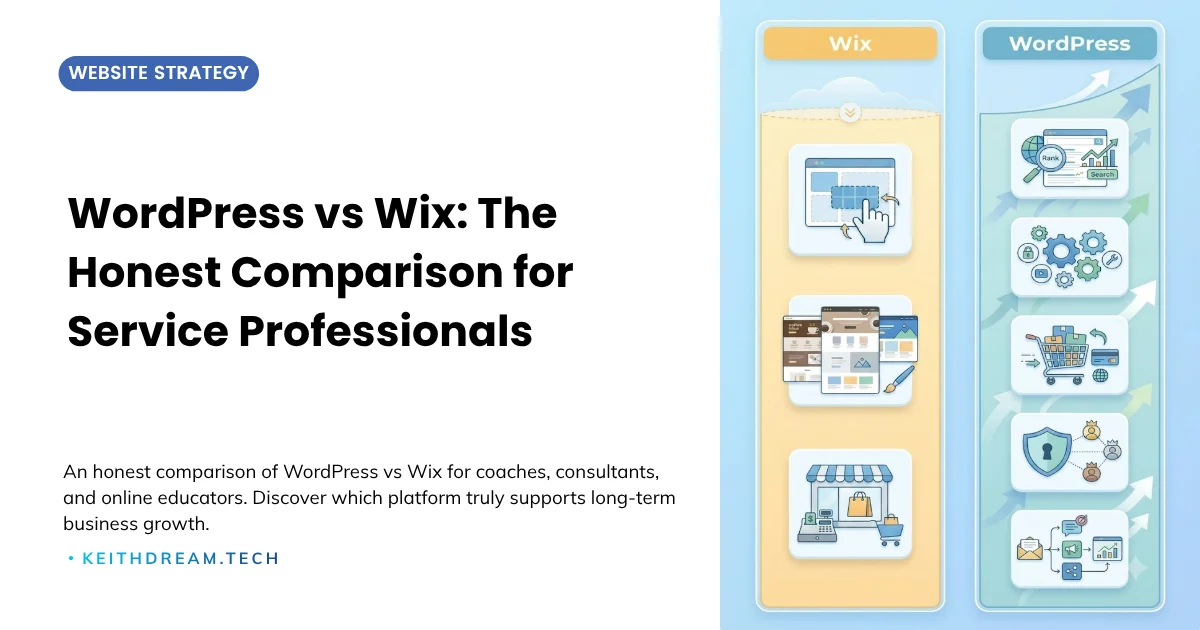
WordPress vs Wix is one of the most common platform debates for service-based business owners.
WordPress is an open-source CMS powering over 41.5% of all websites globally, offering unlimited design flexibility, plugin extensibility, and full data ownership.
Wix is a cloud-based, all-in-one website builder designed for fast, friction-free launching, with hosting, templates, and publishing bundled under one roof.
The choice between them depends less on individual features and more on where your business is going.
In this guide, you'll learn:
- Why "easy to start" and "built to grow" are two very different outcomes for service professionals
- Why the WordPress vs Wix SEO comparison is more nuanced than most articles admit, and what it means for your business
- The real cost of "free," including the hidden time cost for professionals billing $150+/hour
- How data portability (or the lack of it) creates compounding long-term risk
- A clear decision framework: when Wix genuinely makes sense, and when WordPress is the smarter foundation
Disclosure: Some links in this post are affiliate links. If you click through and make a purchase, I may earn a small commission at no extra cost to you. I only share affiliate links for tools and services I actually use in my own business and recommend to my clients.
The Core Difference: Renting vs. Owning
Here's the simplest way to think about it:
Wix is like renting an apartment. Everything is included, the landlord handles maintenance, and you can decorate within the rules. But you can't knock down walls, and if you want to leave, you can't take the building with you. Sometimes you can’t even put a nail in the wall to hang a picture.
WordPress is like owning a house. You choose the layout, the contractor, the materials, and the features. It takes more effort to set up, but it's yours. You can renovate, expand, and even move it to a new lot if you want. If the setup feels like a lot to tackle solo, I can help you strategize and build the right foundation.
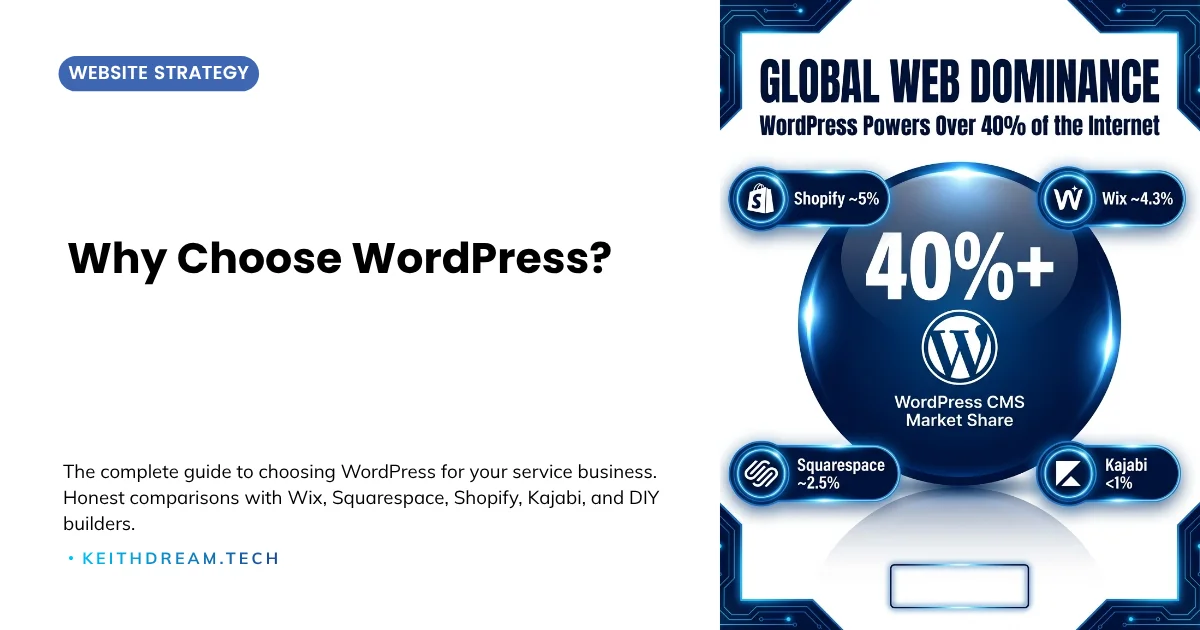
For many small business owners, that distinction matters more than they realize when they're first getting started. For a broader look at what WordPress ownership means for service professionals, see Why Choose WordPress? The Complete Guide.
Ease of Use
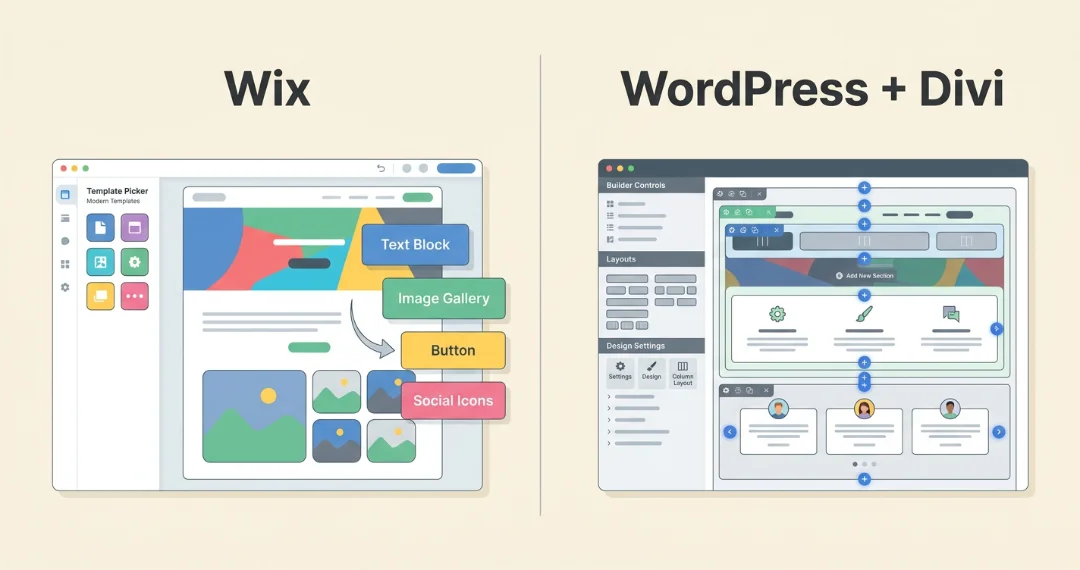
Wix: The drag-and-drop editor is genuinely intuitive. You can place elements anywhere on the page, resize them, and preview your changes in real-time. For someone who has never touched a website builder before, Wix removes almost every barrier to getting something live.
WordPress: The learning curve is steeper, especially if you're managing hosting, plugins, and updates. But modern page builders like Divi have closed the gap significantly. You get drag-and-drop visual editing that rivals Wix, with far more flexibility underneath. And once you learn the basics, you have full control over every element.
The honest take: If you need a website this weekend and have no budget for help, Wix gets you there faster. If you're building a business you plan to run for years, the time you invest learning WordPress pays dividends.
Design and Customization
Wix: Over 2,000 templates across dozens of categories. They look professional and modern out of the box. The limitation is that once you choose a template, you can't switch to another one without rebuilding your site. And while you can customize colors, fonts, and layouts, you're working within Wix's design system.
WordPress: Thousands of themes available (both free and premium), and you can switch themes without losing your content. You may have to adjust to the new format though. With a builder like Divi by Elegant Themes, design flexibility is essentially unlimited. Divi's predesigned layouts and layout packs mean you can get a project off the ground quickly with a professionally designed starting point, then customize every detail to match your brand. Custom layouts, animations, conditional content display, responsive breakpoint control: if you can imagine it, WordPress can build it.
The honest take: Wix templates are beautiful for getting started. WordPress themes are powerful for growing. If your brand requires a distinctive, custom look (and as a service professional, it should), WordPress gives you significantly more room.
SEO: Getting Found in Search
This is where the comparison gets nuanced, and where a lot of outdated content on the internet will steer you wrong.
Wix: Wix has done far more than "make improvements." It has fundamentally overhauled its SEO infrastructure. The platform now delivers an enterprise-grade, out-of-the-box SEO toolkit:
- Image file names: You can rename files strategically in the Wix Media Manager (e.g.,
wordpress-vs-wix-comparison.jpg). Wix automatically converts all uploads to AVIF (AV1 Image File Format) for faster load times, approximately 50% smaller than WebP. - Structured data: Full custom JSON-LD schema injection is available on any page. Wix also offers dynamic schema mapping for CMS collections and built-in AI tools to help generate structured data.
- Robots.txt: A dedicated Robots.txt Editor lives inside the Wix SEO dashboard, giving you full control over allow/disallow directives and sitemap indexing. (
.htaccessremains off-limits: Wix is a managed SaaS platform, so server-level configuration files are not accessible.) - Page speed: With server-side rendering (SSR) and automated CDN caching, Wix now outscores many average WordPress setups in Core Web Vitals, largely because the infrastructure is tightly controlled and users aren't battling conflicting third-party plugins.
WordPress: SEO is one of WordPress's greatest strengths, not because Wix lacks features, but because WordPress sets no ceiling on what's possible. With SmartCrawl Pro, Yoast SEO, or Rank Math, you get granular control over every ranking factor:
- Custom title tags, meta descriptions, and Open Graph data for every page
- XML sitemap generation and full control
- Schema markup (FAQ, HowTo, LocalBusiness, Course, and more)
- Full control over URL structure, redirects, and canonical tags
- Server-level caching, CDN integration, and page speed tuned specifically for your site
- Direct
.htaccessaccess for advanced rewrites and server-level SEO rules
The honest take: This is no longer a story of "Wix lacks features." Wix now offers a powerful, managed SEO toolkit. The real difference is managed infrastructure vs. open-source freedom:
Wix is built for business owners who want advanced SEO capabilities without worrying about plugin conflicts, manual image compression, or server configuration. WordPress is the right choice when search visibility is your absolute top priority and you have the technical resources (or a great web partner) to wring out every last millisecond of speed, customize your server stack, and manage a highly specific SEO workflow.
For most service professionals, the question isn't "does Wix have schema support?" It's "do I want a platform that manages SEO infrastructure for me, or one that gives me limitless control?"
💡 When limitless SEO control is your priority, the platform you build on matters. The QuickStart WordPress setup for service professionals gives you every technical advantage: server-level caching, custom schema, and full .htaccess access, without the guesswork.
Features and Functionality
Wix: The Wix App Market has several hundred add-ons. Booking, forms, email marketing, and basic eCommerce are all available. But the ecosystem is limited compared to WordPress, and some apps come with their own monthly fees.
WordPress: Over 61,000 free plugins cover virtually every feature imaginable. Membership sites, course delivery, advanced forms, CRM integrations, booking systems, affiliate programs, eCommerce: the list is enormous. Most popular plugins are either free or very affordable.
Need a membership site? WordPress handles it. Need course delivery with certificates and community features? WordPress handles it. Need a full eCommerce store alongside your service offerings? WordPress handles it.
The honest take: For a simple brochure site that you can build yourself, Wix's features are sufficient. For anything beyond that, especially if you plan to sell courses, manage memberships, or build complex funnels, WordPress's plugin ecosystem is unmatched.
Cost Comparison
Let's look at real-world costs for a professional service business website:
Wix:
- Light plan: $17/month (basic site, limited storage)
- Core plan: $29/month (most popular for businesses)
- Business plan: $39/month (eCommerce, 100GB storage)
- Business Elite: $159/month (priority support, VIP)
- Additional app costs can add $5-$50+/month
WordPress:
- Managed hosting: $20-$35/month (includes SSL, backups, staging)
- Domain: $12-$15/year
- Premium theme (like Divi): ~$89/year or lifetime license
- Essential plugins: $0-$200/year total
- Professional setup: one-time investment (varies, but pays for itself quickly)
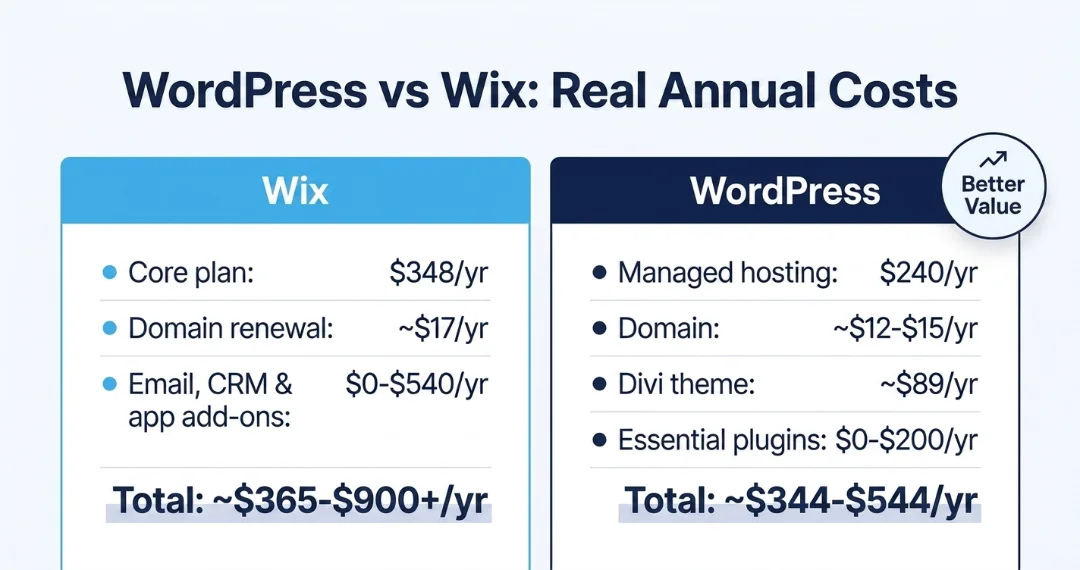
The honest take: On paper, Wix looks cheaper. In practice, WordPress offers better value at scale. A well-built WordPress site on quality hosting runs $20-$35/month total with far more capability. And unlike Wix, you're not locked into annual plan increases.
Data Portability: The Hidden Deal-Breaker
This is the factor most people overlook until it's too late.
Wix: Your content lives on Wix's servers, in Wix's format. If you decide to leave, you can export blog posts as basic text, but your page designs, layouts, forms, and integrations do not transfer. Switching from Wix to another platform essentially means rebuilding from scratch.
WordPress: Your entire site (content, media, database, theme files) can be exported, backed up, and moved to any host, at any time. You own everything. If your hosting provider raises prices or drops quality, you move. Your site comes with you.
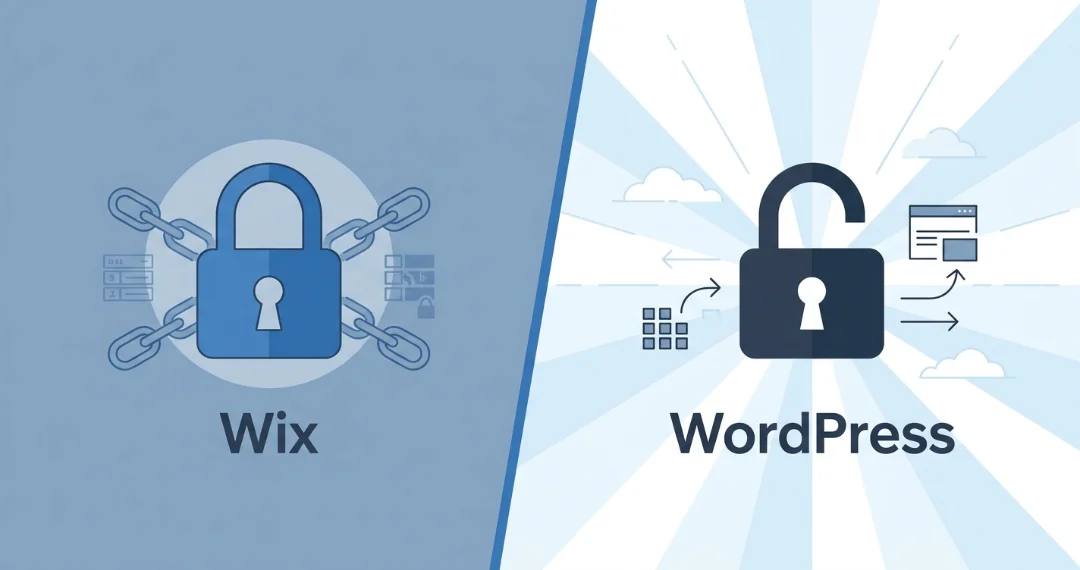
The honest take: This is the single biggest reason I recommend WordPress for any serious business. Platform lock-in is a risk that compounds over time. The longer you build on Wix, the more expensive it becomes to leave. This is one of the core reasons investing in a properly maintained WordPress site from the start makes more financial sense than paying escalating fees on a closed platform.
When Wix Makes Sense
I believe in being honest, even when it doesn't help my business. Here's when Wix is genuinely the better choice:
- You need a simple portfolio or hobby site with no plans to scale
- Your budget is under $500 total and you need something live immediately
- You're testing a business idea and just need a landing page for a few months
- You have no interest in learning any technical skills and won't hire someone to help
If you're comparing Wix against other website builders, WordPress vs DIY Website Builders: The Honest Guide for Growing Businesses covers the full landscape.
When WordPress is the Right Move
WordPress is the better fit when:
- You're running a service-based business and your website needs to generate leads
- You plan to add courses, memberships, or digital products
- SEO and search visibility are important to your growth strategy
- You want full control over your design, branding, and user experience
- You need integrations with tools like ThriveCart, MailerLite, ActiveCampaign, or ConvertBox
- You're thinking long-term and want a site that can grow with your business for years
The Migration Reality
If you're currently on Wix and considering WordPress, here's what you should know: migration is not a simple "transfer." It's effectively a rebuild. Your blog content can come over (with manual cleanup), but pages, layouts, and integrations need to be recreated.
The silver lining? A rebuild is an opportunity. Many of my clients who've migrated from Wix end up with a significantly better site because we can build it right from the start, with proper structure, SEO foundations, and conversion optimization baked in from day one.
I'm working on one of these migrations right now. My client runs a performing arts studio for kids — voice lessons, instrument lessons, acting classes, theater troupe, summer camps. A real community business, built on warmth and word-of-mouth. She had been on Wix for years and genuinely liked the look of her site. But as her programs grew, the platform started working against her.
Parents couldn't find pricing without digging through FAQs. The registration flow bounced them between external links that sometimes timed out — so they'd just call the studio instead. The "What We Offer" page used Wix's built-in filtering, which looked fine on the surface but wasn't indexable by Google. And every time something needed fixing, she was working around the platform's constraints, not with them.
In my audit, the friction wasn't fixable inside Wix. The structural limitations were the problem — not the content, not the design. What she needed was a platform that could give each service its own dedicated landing page, embed registration directly (no redirects), and give Google something it could actually read and rank. That's not a Wix limitation you can patch. It's the reason we're rebuilding her site on WordPress right now.
The Bottom Line
Wix is a great tool for getting online quickly. WordPress is a great platform for building a business online.
If you're a coach, consultant, or online educator with real growth ambitions, WordPress gives you the foundation, flexibility, and long-term value that Wix cannot match. The initial investment in learning or hiring a professional pays for itself many times over.
And if the idea of managing WordPress feels overwhelming, that's exactly what a care plan is for. With my WordPress care plans, I take care of updates, backups, and security, work directly with plugin support if anything goes wrong, and give you someone to check with before making a decision that could affect your site. I also offer strategy sessions for when your business needs to scale its website up or down. And as a care plan client, you get access to my licensed premium plugins and the Divi theme for as long as you're on a plan, which means one less cost and one less tool to manage. You don't have to do it alone.
Still Deciding? Common Questions About WordPress vs Wix (FAQs)
Can I move my Wix site to WordPress?
You can migrate your content, but not your design. Blog posts can be exported and imported with some cleanup, but pages, layouts, forms, and integrations need to be rebuilt in WordPress. Think of it as a fresh start with better tools. Most clients find the rebuilt site outperforms what they had on Wix.
Is WordPress really free?
The WordPress software is free and open-source, maintained by a global developer community. You'll pay for hosting ($20-$35/month), a domain ($12-$15/year), and optionally a premium theme and plugins. All-in, a professionally supported WordPress site typically runs $25-$50/month, often less than a comparable Wix plan once app add-ons are factored in.
Do I need to know how to code to use WordPress?
No. Modern page builders like Divi provide visual, drag-and-drop editing that rivals Wix in ease of use. WordPress's native block editor (Gutenberg) is also beginner-friendly. You can build and manage a polished, professional site without writing a single line of code.
What if I just need a simple site?
If "simple" means a static brochure with no plans to grow, add features, or rank in search, Wix may be sufficient. If "simple" means clean and professional today, with room to expand as your business does (as most service businesses eventually discover they need), WordPress is the smarter long-term foundation.
How long does it take to build a WordPress site?
It really depends on several factors. If you have all your copy written and optimized and your photos ready, a professional can have a polished, conversion-optimized WordPress site ready in 2-4 weeks. But that's rare. Your copy will likely need refinement for SEO and conversion, and you'll need professional photography or licensed imagery that fits your brand and content. A professional can help coordinate those elements, but your timely input is required throughout. Most of my projects run 3-6 months from discovery session to launch. Ecommerce and course membership sites can take longer. The investment pays off in a platform you own and control for years.



0 Comments