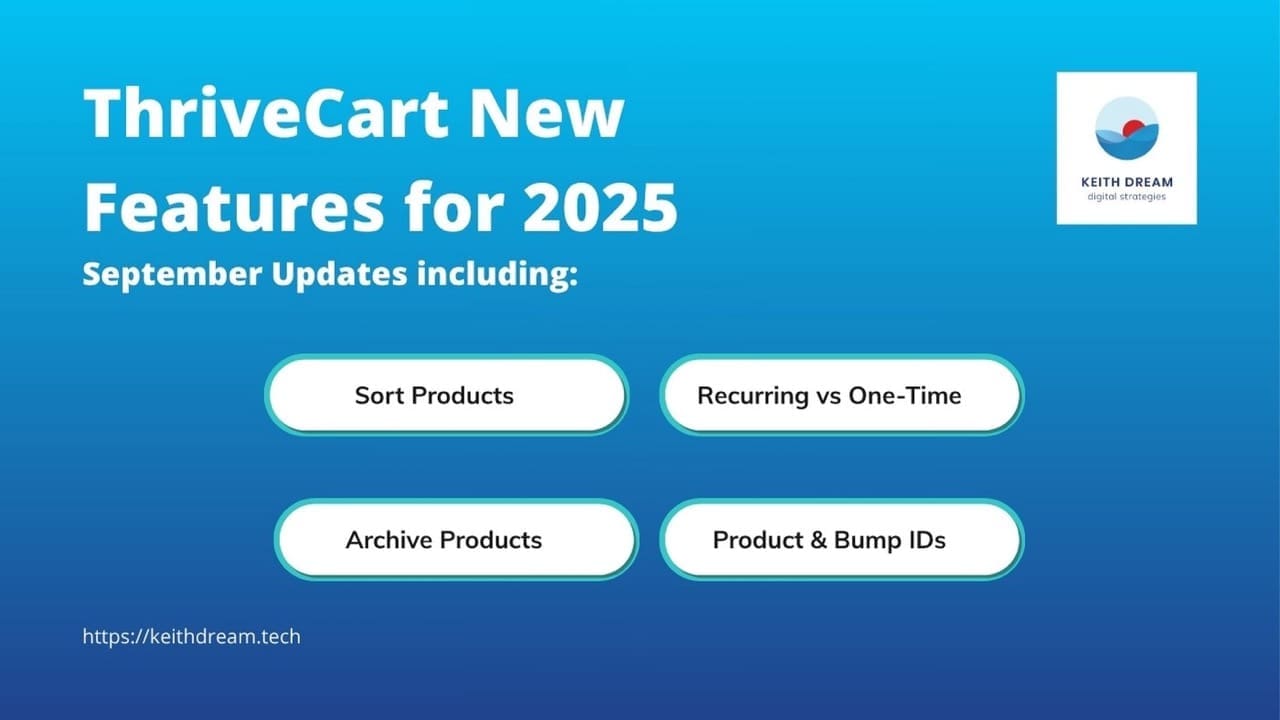
Quick Look: Featured Updates for October 2025
- Hide $0 Commission Products from Affiliate Dashboards
- Top Sellers: View Gross & Net Revenue at a Glance
- New Templates & Two-Step Form Designs
- Subscription Cancellations: Source Tracking & Email Notifications
You're three months into a course launch. Sales are good. Your affiliate program is buzzing. Subscriptions are rolling in. But when you sit down to actually analyze what's working, you're staring at cluttered dashboards, incomplete data, and that nagging feeling that you're making decisions in the dark.
I see this scenario play out constantly with clients. They've got powerful tools, but those tools aren't giving them the clarity they need to make confident business decisions. They're flying blind at precisely the moments when visibility matters most.
ThriveCart's October release changes that equation. These aren't flashy features designed to look good in a demo. They're strategic intelligence upgrades that solve real problems for people running real businesses. And after spending time with them, I'm genuinely excited about what they make possible.
Let me walk you through what's new and, more importantly, why it matters for your business.
Getting Clear on What's Actually Making You Money
Here's a question I ask every client when we're reviewing their sales systems: "Which of your products is the most profitable?"
Most can tell me which product has the highest price tag. Some can tell me which one sells the most. But very few can tell me which one is actually putting the most money in their pocket after all costs are accounted for.
That's the gap ThriveCart just closed with their new Top Sellers report that shows both gross and net revenue.
The Strategic Shift This Enables
Let's say you're a course creator with eight different offers. You've got your flagship $997 program, a mid-tier $497 course, a low-ticket $97 mini-course, and a few bundles and payment plan options mixed in. Up until now, you could see total sales by product. But you couldn't easily see which offers were actually the most profitable after factoring in payment processing fees, refunds, and other costs.
Here's where this gets powerful: Imagine you're planning your Q4 marketing push. You've got limited time and a finite ad budget. Do you promote the high-ticket offer because it has the biggest headline number? Or do you promote the mid-tier offer that might actually have better margins and higher conversion rates?
With gross and net revenue side by side, that decision becomes clear. You might discover that your $497 course, which seemed like the "middle child" of your product line, is actually your profit engine. That changes everything about how you allocate resources.
With gross and net revenue side by side, that decision becomes clear. You might discover that your $497 course, which seemed like the "middle child" of your product line, is actually your profit engine. That changes everything about how you allocate resources.
Want to explore ThriveCart's reporting features yourself? Check out the platform here to see how these tools could transform your business intelligence.
A Real-World Application
One of my clients runs a coaching program with three tiers. When she looked at gross revenue, her premium tier looked like the obvious winner. But when she factored in the payment plan options (with their higher processing fees over time), plus the additional support costs for premium clients, plus refund rates, the picture shifted dramatically.
Her mid-tier program, with its simpler payment structure and lower refund rate, was actually generating 30% more net profit per customer. That insight led her to restructure her entire funnel, emphasize the mid-tier offer in her marketing, and ultimately increase her bottom line by focusing on what was actually working, not just what looked like it was working.
This kind of revenue intelligence isn't just nice to have. It's the difference between guessing and knowing.
Professionalizing Your Affiliate Program (And Your Sanity)
If you're running an affiliate program, you already know the double-edged sword of offering free lead magnets and low-ticket tripwires through your affiliates. They're great for list building and getting people into your ecosystem. But they create a reporting nightmare.
Your affiliate dashboard gets cluttered with $0 commission products. Your partners are scrolling through pages of freebies to find their actual earning opportunities. And you're fielding support questions from confused affiliates who don't understand why all these products are showing up in their dashboard if they're not earning anything.
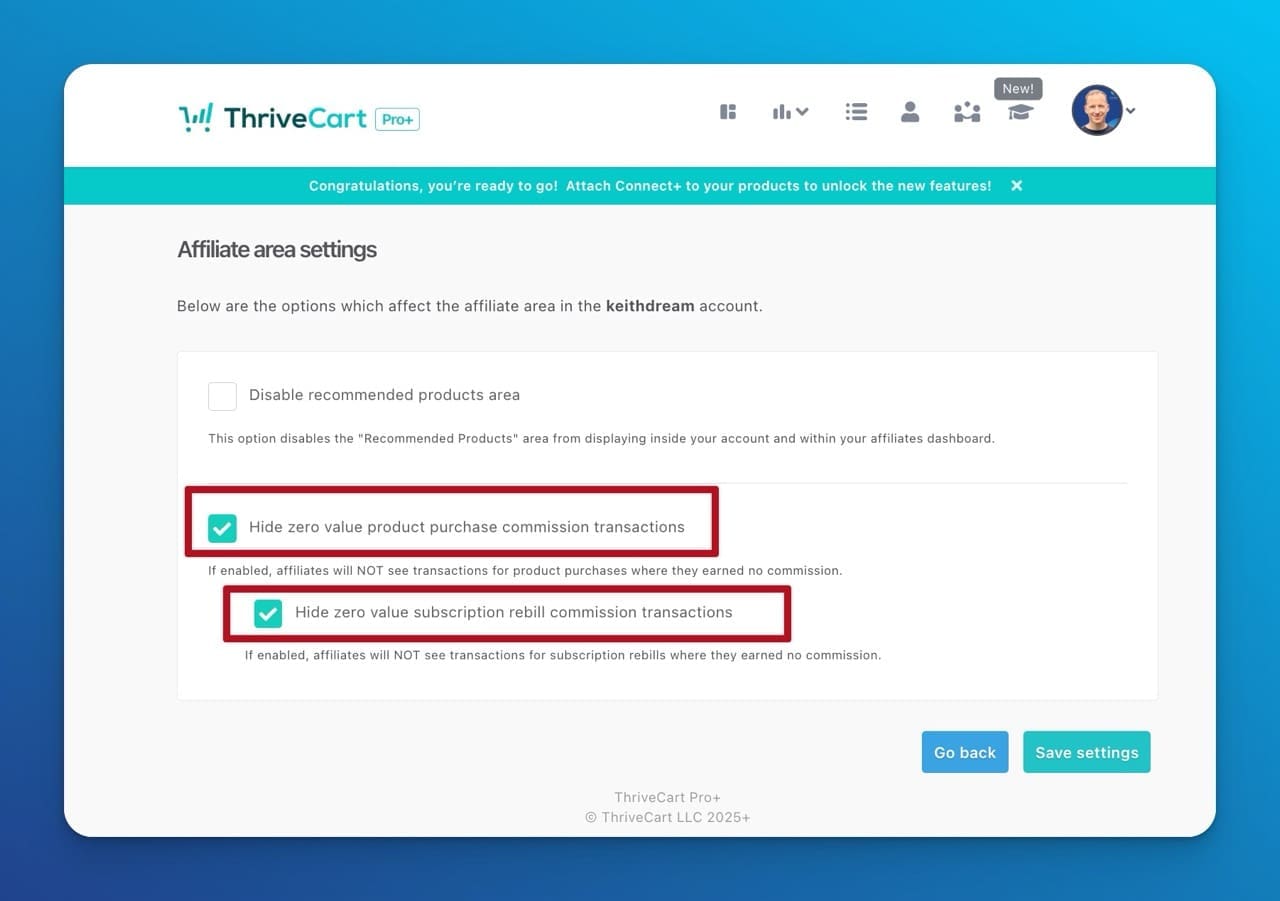
The new Hide $0 Commission Products feature solves this elegantly.
What This Really Means for Scale
Here's the scenario: You've got 50+ products in your ThriveCart account. Maybe 15 of those actually pay affiliate commissions. The rest are free resources, bundles that exclude affiliate earnings, or products with special commission structures. Before this update, every affiliate saw every product, regardless of whether they could earn from it.
Now you can declutter those dashboards. Your affiliates see only what matters to them—the products where they can actually earn commissions and rebills.
The Ripple Effect on Retention
This might seem like a small quality-of-life improvement, but it has real business impact. When your affiliate program looks professional and focused, you retain better partners. When affiliates can quickly assess their earning opportunities without wading through irrelevant products, they're more likely to actually promote something.
I've watched affiliate programs die not because of poor commission rates or bad products, but because they were too confusing to navigate. Your top affiliates are busy people running their own businesses. Respect their time by showing them a clean, focused dashboard, and they'll respect you by sending more traffic your way.
Practical tip: When you enable this feature (Settings → Account-wide settings → Affiliate area settings), take an hour to audit your product list. This is a perfect opportunity to clean up old products, archive inactive offers, and get clarity on your commission structure. You'll thank yourself later.
The Subscription Intelligence That Changes Your Retention Game
Subscription cancellations can be like mystery novels where you never get to read the ending. Someone cancels, you see the revenue drop, but you don't know why or how it happened. Was it the customer clicking a button in their account? Was it a failed payment that triggered your dunning automation? Did you manually cancel it for a specific reason?
ThriveCart's new Subscription Cancellation Source Tracking and Notifications finally gives you the full story.
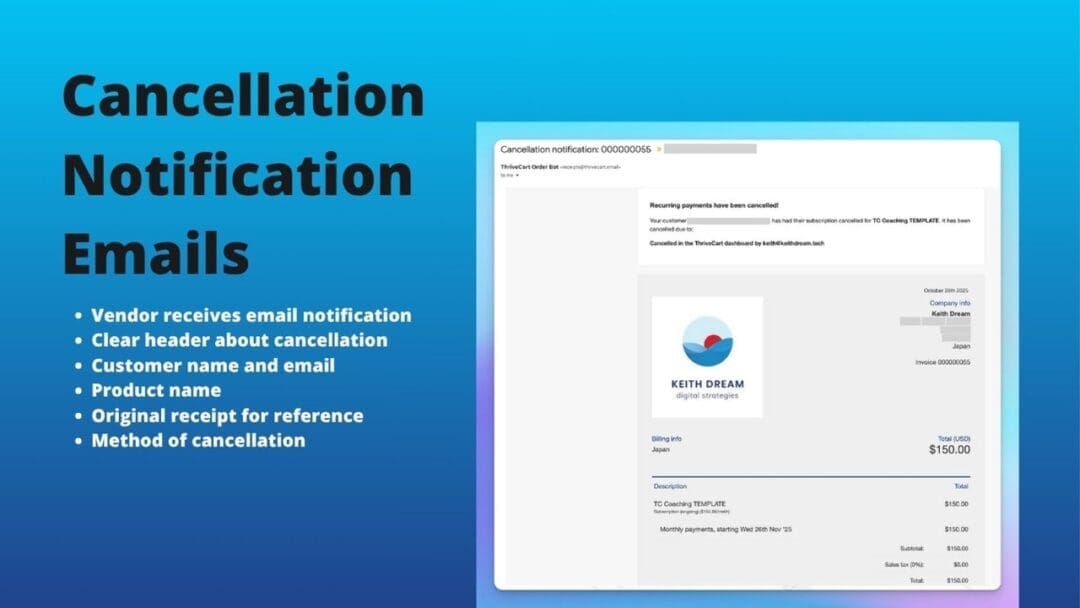
As the vendor, you will now get a detailed notification email whenever a subscription is cancelled. Here's what's included in the email:
- Clear header about the cancelled subscription
- The cancellation method (eg. user cancelled, vendor initiated)
- Customer name and email
- Product name
- A copy of the original receipt with all the purchase pricing information
Why This Matters More Than You Think
Let's say you're running a membership site with 200 active subscribers. Last month you lost 15 of them. Here's what you don't know without source tracking:
- How many cancelled themselves versus how many you cancelled for failed payments?
- How many were triggered by automation versus manual intervention?
- Which cancellation sources correlate with your highest-value customers?
This isn't just interesting data. This is actionable intelligence that drives real retention strategy.
A Strategic Use Case
Let's say you discover that 70% of your cancellations are coming from failed payments that triggered your dunning sequence, and only 30% are customers actively choosing to cancel. That tells you something critical: Your retention problem isn't actually a value problem—it's a payment infrastructure problem.
You might decide to:
- Adjust your dunning sequence to give customers more time or more communication
- Implement a backup payment method option
- Create a grace period with limited access instead of immediate cancellation
- Set up a targeted outreach campaign with a human touch for payment failures
Now layer on the email notifications. You can get real-time alerts when subscriptions cancel, which opens up a whole new playbook for retention. Set up a workflow where cancellations trigger immediate outreach from your support team. Not a desperate "please don't go" email, but a genuine "we noticed you cancelled, is there anything we can help with?" conversation.
Some of the best customer feedback I've seen has come from cancellation conversations. People are often remarkably honest when they're on their way out. That feedback becomes essential to your product development.
The Q4 Opportunity
We're heading into the end of the year, which means people are evaluating their subscriptions and cutting costs. Having real-time visibility into cancellations and their sources means you can respond strategically instead of reactively. You can spot patterns, intervene early, and potentially save relationships before they're gone.
Making Complex Offers Simple (For Pro+ Users)
If you're a ThriveCart Pro+ user with Stripe Connect, October brought you three new industry-specific template sets and a game-changing two-step form option. Let's talk about why this matters for businesses with complex offers.
The Two-Step Form Revolution
Here's a situation I see constantly: You're launching a new program with multiple tiers, optional upsells, and maybe a payment plan option. You want to capture interest quickly, but you also need to collect detailed information before the sale closes.
The traditional single-page checkout form becomes this overwhelming wall of fields and options. Potential customers land on the page, see everything at once, and bounce. Classic cart abandonment scenario.
The two-step form solves this by breaking the process into stages. Step one: Capture the essential information and commitment. Step two: Collect the details needed to complete the transaction. It's a smoother psychological journey, and it dramatically reduces abandonment on complex offers.
Real-World Applications by Industry
Three new templates, done for you and ready to apply:
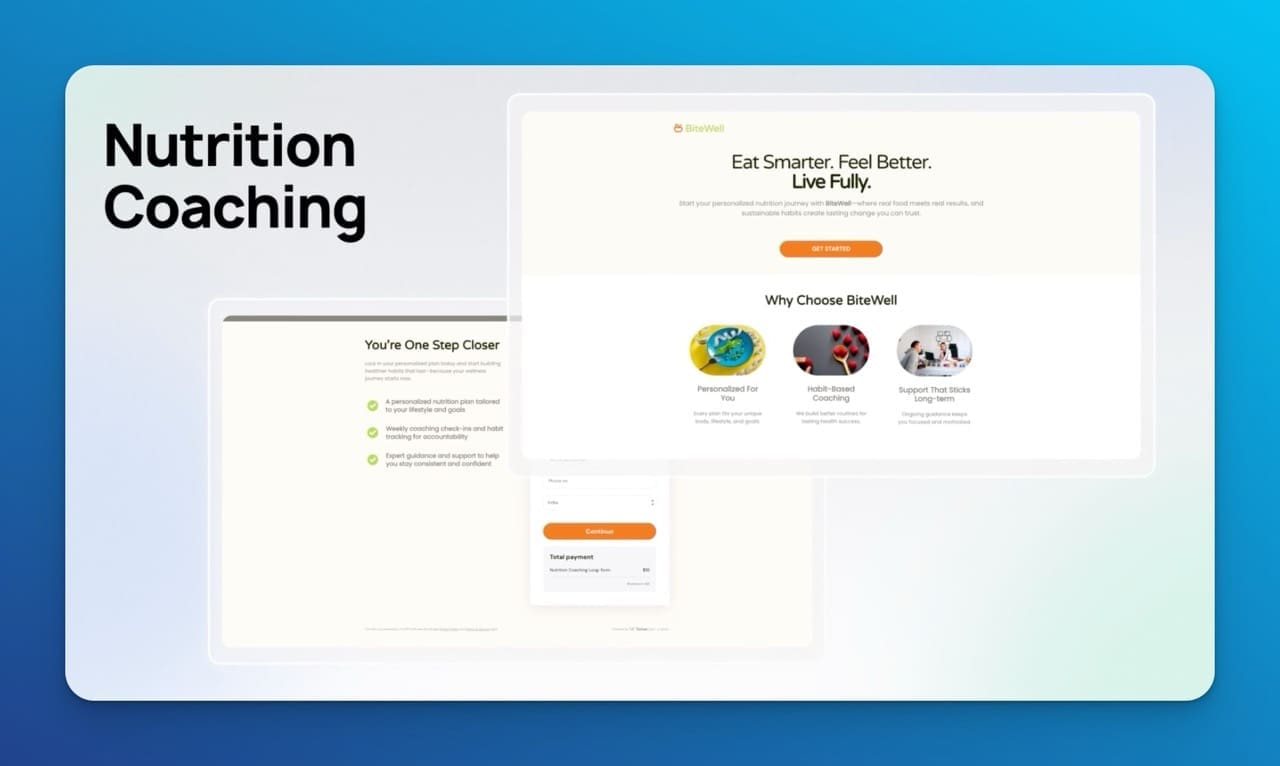
Nutrition Coaching Template: A nutritionist offering a 12-week program with optional add-ons like meal planning services, supplement packages, or one-on-one sessions. The two-step form lets you present the core program first, then introduce add-ons in a second step after the customer has already committed to the base offer. This increases average order value without overwhelming the initial decision.
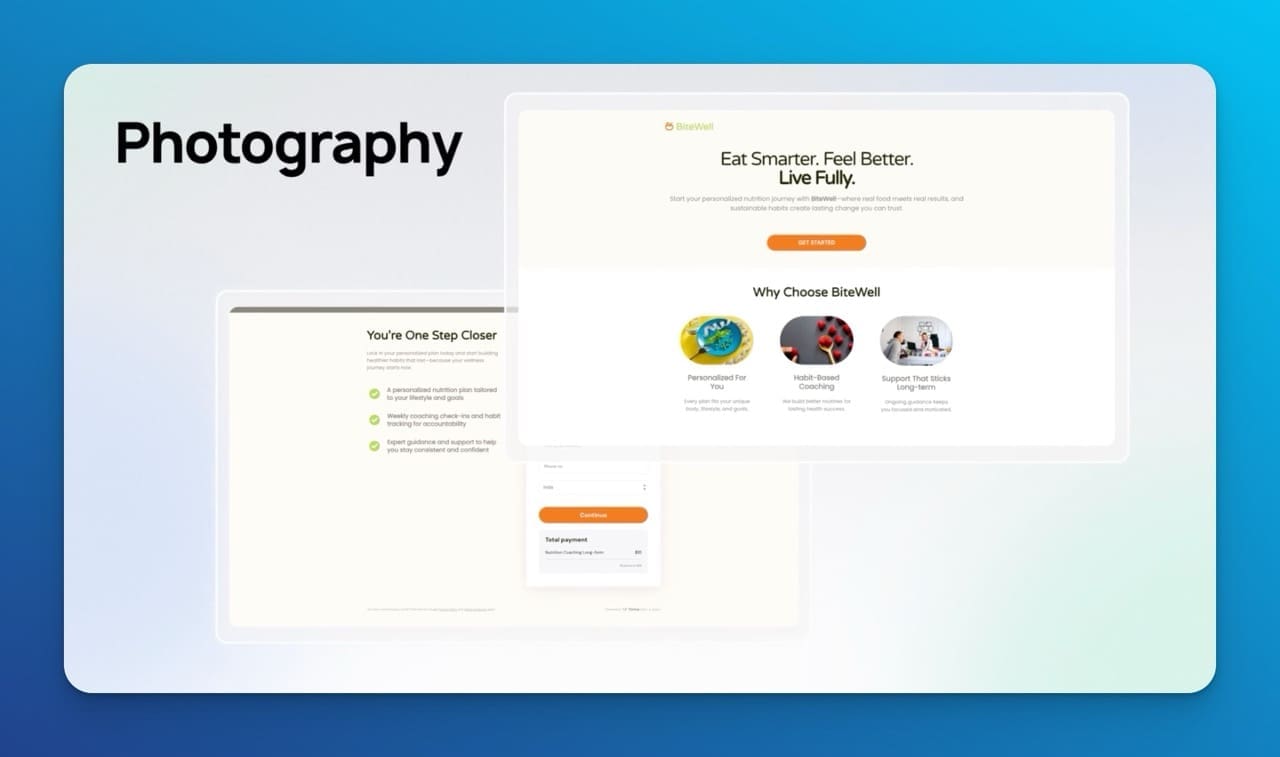
Photography Template: Photographers often sell packages with a base session fee plus optional add-ons like extra prints, albums, or digital files. The two-step approach lets you sell the session first, then present the premium options once they're already committed. This maps perfectly to how photographers actually work with clients.
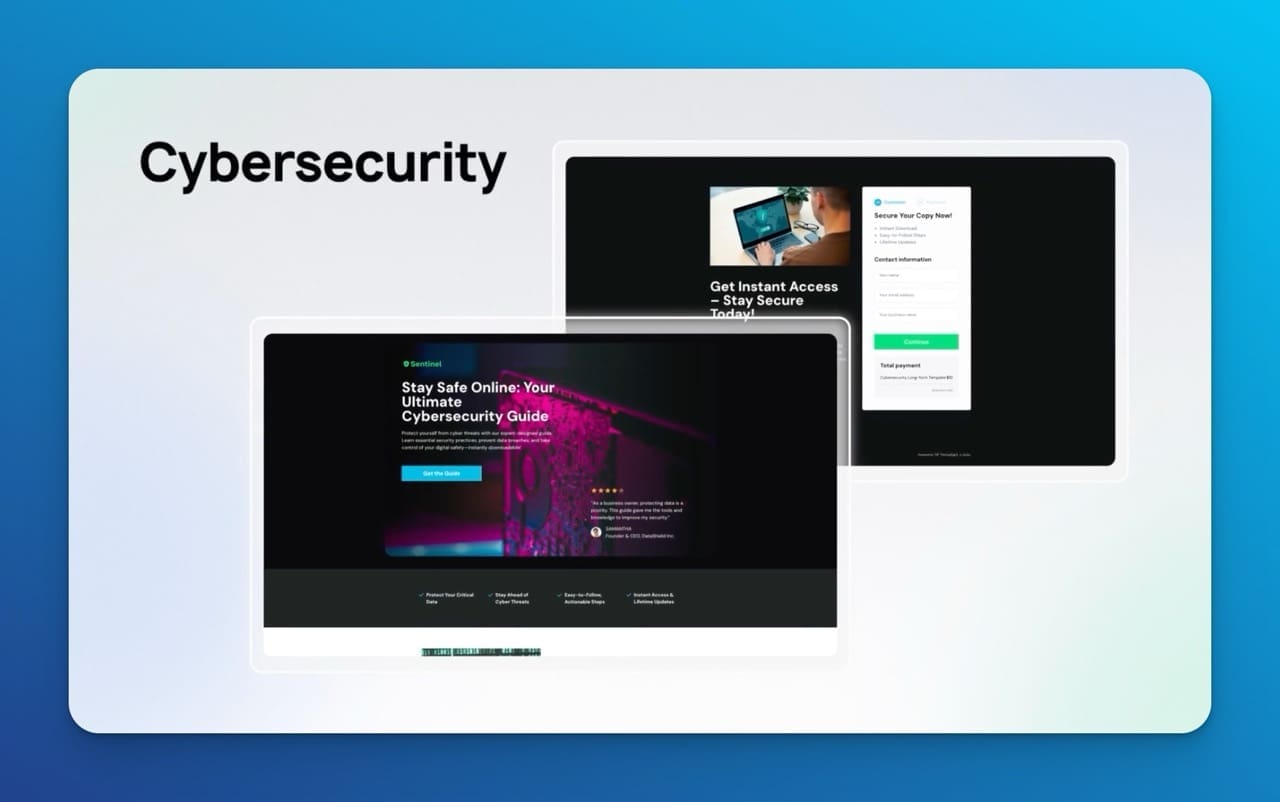
Cybersecurity Consulting Template: For service providers selling tiered packages, the two-step form lets you present the service tiers first, then collect the detailed onboarding information needed to start the engagement. This is perfect for high-ticket B2B services where the decision process needs to feel professional and structured.
The Professional Positioning Advantage
Here's something less tangible but equally important: These templates look good. They're modern, they're industry-specific, and they signal that you're running a serious business. Your checkout experience is often the last impression before someone becomes a customer. Make it count.
When I'm setting up sales systems for clients, I'm always thinking about congruence. If your marketing and messaging are polished and professional, but your checkout page looks generic or clunky, there's a disconnect. These templates help maintain that professional thread all the way through the buying experience.
How These Updates Work Together as a System
Here's where this gets really interesting. These updates aren't isolated features—they're interconnected pieces of a larger business intelligence system.
Think about it this way:
You use the Top Sellers report to identify which products are actually driving profit. That informs your marketing decisions and resource allocation.
You clean up your affiliate dashboard with the $0 commission filter, making it easier for partners to focus on promoting your most profitable products. That drives more strategic affiliate traffic.
You set up subscription cancellation tracking to understand which customer segments are churning and why. That feedback loop improves your product and your retention strategy.
You implement the two-step forms on your complex offers to reduce cart abandonment and increase average order values. That compounds the profitability you identified in the Top Sellers report.
See how it all connects? This is systems thinking. This is what separates businesses that grow strategically from businesses that grow accidentally.
Why This Matters Now
We're in Q4. This is when smart business owners are doing two things simultaneously: maximizing the current year's revenue and setting up systems for next year's growth.
These ThriveCart updates serve both goals. The revenue intelligence features help you make better decisions right now about what to promote and where to focus. The infrastructure improvements—cleaner dashboards, better tracking, smoother checkouts—set you up for scalable growth in 2026.
If you're evaluating cart platforms or considering whether to upgrade your current setup, this is the kind of update cycle you want to see from your tools. Not flashy features that look good in demos but don't solve real problems. Strategic improvements that compound over time to give you better data, smoother operations, and more confident decision-making.
The Bottom Line for Your Business
Here's what I tell clients when we're evaluating technology decisions: Your sales platform shouldn't just process transactions. It should give you intelligence about your business. It should reduce complexity, not add to it. And it should scale with you as you grow.
ThriveCart's October updates move solidly in that direction. Whether you're running a six-figure coaching business, scaling a course empire, or building a subscription product, these features give you clearer visibility into what's working and what's not.
That's what technology should do. It should empower you to make better decisions with less stress.
If you're already using ThriveCart, dig into these features. They're easy to overlook in the rush of running your business, but they're worth the time investment. If you're evaluating cart platforms and looking for something that combines power with usability, you can explore ThriveCart here and see current pricing options.
The businesses that thrive aren't the ones with the most features. They're the ones with the clearest intelligence about what's working. These updates get you closer to that clarity.
Ready to optimize your sales systems?
These ThriveCart October 2025 updates prove one thing: the platform keeps evolving to solve real business problems, not just add flashy features.
If you're ready to move beyond guessing and start making data-driven decisions with:
- Revenue intelligence that shows what's actually profitable
- Professional affiliate management that keeps your partners focused
- Smart subscription tracking that helps you retain more customers
- Conversion-optimized templates that reduce cart abandonment
Then it's time to make the move.
ThriveCart Standard is a one-time payment of $495. No monthly fees. Ever.
Upgrade to ThriveCart Pro+ for $295/yr.
Not sure if ThriveCart is right for you? I help established businesses design and implement revenue operations that scale. Let's talk about your specific situation and I'll help you choose the right tools for your business.
Frequently Asked Questions
What are the main ThriveCart updates in October 2025?
ThriveCart's October 2025 updates include a Top Sellers report showing both gross and net revenue, the ability to hide $0 commission products from affiliate dashboards, subscription cancellation source tracking with real-time notifications, and three new industry-specific checkout templates with two-step forms for Pro+ users.
How does ThriveCart's new revenue reporting help my business?
The new Top Sellers report shows both gross revenue (total sales) and net revenue (actual profit after fees, refunds, and costs) side by side. This helps you identify which products are truly most profitable, enabling smarter decisions about marketing spend, product promotion, and resource allocation based on actual profitability rather than just sales volume.
Can I hide products from my affiliate dashboard in ThriveCart?
Yes, ThriveCart now lets you hide products with $0 commissions from affiliate dashboards. This declutters the view for your affiliates, helping them focus only on products where they can earn commissions and rebills. It's particularly helpful if you have many free lead magnets or bundles that exclude affiliate earnings.
What is ThriveCart's subscription cancellation tracking feature?
The new Subscription Cancellation Source Tracking shows exactly how each subscription was cancelled—whether by the customer, through failed payment automation, or manual cancellation. You also get real-time email notifications when cancellations occur, allowing you to respond proactively and potentially save customer relationships before they're lost.
Are the new ThriveCart templates available to all users?
The three new industry-specific templates (nutrition coaching, photography, and cybersecurity consulting) and the two-step checkout forms are available exclusively to ThriveCart Pro+ users with Stripe Connect. The revenue reporting, affiliate dashboard improvements, and subscription tracking features are available to all ThriveCart users.



0 Comments