NOTION
Notion for Small Business: Your All-in-One Workspace
Need help with your Notion setup? [Drop me a line with your project details](https://keithdream.tech/contact/) and let's see how I can help!

What is Notion, and How Does It Help Small Businesses and Individuals?
Notion is an all-in-one workspace that brings your documents, databases, project management, and knowledge base into a single platform. Instead of juggling separate tools for notes, tasks, wikis, and spreadsheets, Notion lets you build everything in one connected hub, designed exactly the way your business needs it.
Think of it as a digital headquarters. Every process, every project, every piece of information, organized and accessible in one place.
At the core of Notion's power are databases, flexible collections of information that you can filter, sort, and view in multiple ways. Unlike a static spreadsheet, a Notion database lets you switch between table, board, calendar, timeline, and gallery views, all showing the same data from different angles. You can link databases together so your tasks connect to your projects, your projects connect to your clients, and your clients connect to your meeting notes. Everything stays in sync, and nothing gets lost.
How Small Businesses Use Notion
For small business owners, Notion replaces the patchwork of disconnected apps that slow you down and cost you money. Here are some of the most common ways businesses put Notion to work:
- Project and task management: Assign tasks, set deadlines, track progress, and keep your team aligned without paying for a separate project management subscription.
- Standard Operating Procedures (SOPs): Document your processes step by step so your team can follow them consistently, whether you are in the room or not.
- Client portals and CRM: Track leads, manage client relationships, and create shared spaces where clients can see project updates in real time.
- Knowledge bases and team wikis: Store company policies, training materials, onboarding guides, and reference documents in one searchable location.
- Meeting agendas and notes: Prepare agendas, capture decisions, and track action items so nothing falls through the cracks.
- Content planning and editorial calendars: Plan blog posts, social media, and marketing campaigns with databases that link your strategy to execution.
The result? Less time searching for information, fewer dropped tasks, and a team that knows exactly where to find what they need. Not sure where to start? Explore our services or keep reading to learn more.
How Individuals and Students Use Notion
Notion is equally powerful for personal use. Individuals and students rely on it to organize personal goals, build study systems, track habits, manage budgets, and create portfolios. The same flexibility that powers a business workspace can power a personal one, tailored to your life and priorities.
Why Notion Stands Out
What sets Notion apart from other productivity tools is its flexibility. You are not locked into rigid structures or someone else's idea of how you should work. You build the system that fits your workflow.
Key reasons businesses choose Notion:
- One platform, many tools: Replace your project manager, wiki, CRM, and document storage with a single workspace.
- Scales with you: Start simple. Add complexity as your business grows. Notion adapts to your needs at every stage.
- Customizable databases: Track anything (client projects, inventory, revenue, content) with views that match how you think: tables, boards, calendars, timelines, and more.
- Built-in AI: Notion includes a powerful AI assistant that understands your workspace and helps you write, research, summarize, and automate tasks.
- Real-time collaboration: Work with your team, clients, or collaborators in shared workspaces with granular permission controls.
- Integrations that extend your reach: Connect Notion to the tools you already use. Native integrations with Slack, Google Drive, GitHub, Figma, and more keep your workflows connected. For advanced automation, tools like Zapier and Make let you build custom workflows between Notion and hundreds of other apps.
How does Notion compare to other tools?
| Feature | Notion | Trello | Asana | Monday.com | Google Workspace |
|---|---|---|---|---|---|
| Project management | Yes | Yes | Yes | Yes | Limited |
| Docs and wikis | Yes | No | Limited | Limited | Docs only |
| Databases and CRM | Yes | No | No | Yes | Sheets only |
| Built-in AI | Yes | Limited | Limited | Limited | Gemini |
| Custom workflows | Fully flexible | Board-only | Structured | Structured | No |
| All-in-one workspace | Yes | No | No | Partial | No |
| Free plan | Generous | Limited | Limited | No | Limited |
Most small businesses that switch to Notion find they can consolidate three or four separate subscriptions into one platform, saving both money and the mental overhead of juggling disconnected tools.
Notion AI: Your Built-In Strategic Partner
Notion's AI agent is more than a chatbot. It is a strategic partner that lives inside your workspace and understands your business context.
Here is what makes it different from standalone AI tools like ChatGPT or Claude: Notion AI has access to everything you have stored in your workspace. Your company information, systems, tools, staff details, projects, and even your website pages. This means it can give you answers, draft content, and complete tasks based on your actual business data, not generic internet knowledge.
And your information stays protected. Notion does not use your workspace data to train its AI models, so your intellectual property remains secure.
Customizable Intelligence with Instruction Pages
One of the most powerful features of Notion AI is instruction pages. You create a page that tells the AI exactly how you want it to behave: your brand voice, your communication style, your standard processes, your preferred terminology.
The flexibility is yours:
- Light touch: Give it a few preferences and let it assist with general tasks like summarizing meeting notes or drafting emails.
- Deep customization: Provide detailed brand guidelines, writing rules for different content types, workflow protocols, and business context. The AI follows your instructions consistently across every interaction.
- Team alignment: Share instruction pages across your workspace so every team member gets the same quality of AI support, aligned with your company standards.
Whether you want a simple writing assistant or a fully customized AI partner that knows your business inside and out, Notion AI adapts to your level of investment. The more context you give it, the more valuable it becomes. Learn more about our approach to responsible AI.
Book a quick call to discuss how Notion can work for your business.
Notion Templates: Start with a System, Not a Blank Page
A Notion template is a pre-built workspace (or part of a workspace) that you can duplicate into your own Notion account and customize. Instead of designing databases, properties, views, and workflows from scratch, you start with a working system built by someone who has already solved the problem you are facing.
Why Templates Matter
For busy business owners, the biggest barrier to using Notion effectively is not the software itself. It is the blank page. Knowing what Notion can do and knowing how to structure it for your specific needs are two very different things.
Templates bridge that gap:
- Save hours (or days) of setup time. Someone has already figured out the structure, the properties, the views, and the workflows. You just add your data.
- Learn by using. Working inside a well-built template teaches you how Notion works. You absorb best practices naturally as you customize and adapt the system.
- Get expert-level structure. A good template is built by someone who understands both the tool and the problem it solves. You benefit from that expertise without paying for custom consulting.
Who Should Use Templates
- Small business owners who need proven systems for project management, CRM, content planning, or operations but do not have time to build from scratch.
- Solopreneurs and freelancers who want a professional workspace that keeps clients, projects, and finances organized.
- Teams that need a shared system for collaboration, task tracking, and knowledge management.
- Individuals and students looking for structured approaches to goal setting, study planning, or personal productivity.
Notion Templates by Keith Dream
I build Notion templates because I see the same challenges across the small businesses I work with: scattered information, inconsistent processes, and too much time spent on setup instead of execution.
My templates are designed with the same care and strategy I bring to my consulting work. They include built-in guides, SOPs, and best practices so you can start working in your system on day one.
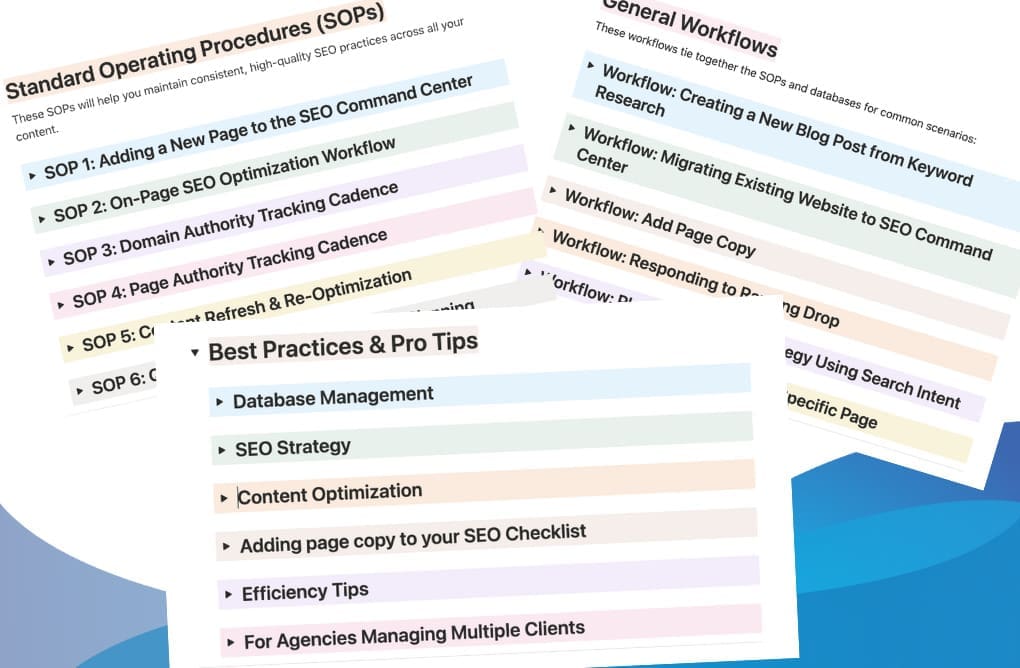
SEO Command Center is a complete SEO management system for small businesses and agencies. Plan, optimize, and track every page on your website with built-in checklists, AI workflows, competitor analysis, and authority tracking. Available in Standard and Pro editions.
Explore the SEO Command Center
More templates are in development. Subscribe to my newsletter to be notified when new templates launch.
Getting Started with Notion for Your Business
The most common mistake businesses make with Notion is overbuilding on day one. You do not need a perfect system to start getting value. You need a starting point and a clear plan for what to build first.
Here is a practical path to get your Notion workspace up and running:
Step 1: Define your top three pain points. Before you open Notion, write down the three biggest organizational challenges in your business right now. Scattered client info? No task tracking? SOPs that live in your head? Start there.
Step 2: Create your home base. Set up a single page that acts as your business dashboard. Link to the key areas you need most: tasks, projects, clients, and reference documents. Keep it simple. You can always add more later.
Step 3: Build one database first. Pick the pain point that costs you the most time and build a database for it. For most businesses, that is either a task tracker or a client list. Add properties for the information you actually need (status, due date, priority) and skip everything else for now.
Step 4: Add views that match how you work. Switch your database between table view for data entry, board view for tracking progress, and calendar view for deadline management. Same data, different perspectives, zero extra setup.
Step 5: Expand when you are ready. Once your first database is working, connect it to a second one. Link tasks to projects. Link projects to clients. This is where Notion's relational power starts saving you serious time.
A real-world example: One small marketing agency I worked with was running their entire operation across Google Sheets, Trello, and email threads. Client details lived in one place, project tasks in another, and SOPs existed only in the founder's memory. We consolidated everything into a single Notion workspace with connected databases for clients, projects, and tasks. Within two weeks, the team stopped losing track of deliverables, onboarding new contractors went from two days to two hours, and the founder finally had a clear view of every active project without checking four different apps.
Whether you start on your own or work with a consultant, the key is to start small and build with intention. Notion rewards clarity, not complexity.
Learning to Master Notion
Notion is intuitive enough to start using right away, but mastering it takes practice. The difference between a basic Notion setup and a workspace that truly runs your business is knowledge: understanding how databases connect, how views filter information, how templates save time, and how formulas automate calculations.
Investing in your Notion skills pays dividends. You build faster, maintain cleaner systems, and get more value from the platform every day.
That said, if becoming a Notion pro is not on your roadmap, that is totally fine. That is the beauty of Notion: you can use it simply, or build out a masterpiece. Every use case is a great one, and it is entirely up to you how deep you want to go.
If you would rather skip the learning curve and get straight to a workspace that works, I can help. Whether you need a strategy session to clean up an existing workspace, a full build-out of a Notion OS for your business, or ongoing support as your needs evolve, I am here for it. Think of me as your go-to Notion hero. Just call on me when you need me, and I will handle the rest so you can focus on running your business.
Book a quick call to talk about your workspace goals.
Whether you prefer self-paced learning or guided instruction, there are excellent resources created by trusted experts in the Notion community. Here are two programs I personally recommend from veteran Notion Ambassadors.
Notion Mastery
Notion Mastery is a comprehensive online course created by Marie Poulin, a Notion Ambassador and Certified Consultant. It covers everything from basic workspace design to advanced dashboard building, with a focus on creating personalized, sustainable workflows.
What you will learn:
- Designing a workspace that integrates all aspects of your life and business
- Building dashboards, triaging tasks, and optimizing workflows
- Reducing decision fatigue and improving team collaboration
- Customizing your system with templates, examples, and industry-specific use cases
The course includes live trainings, workshops, office hours, and access to a supportive community of fellow learners.
Two membership options:
- Notion Mastery: Solo: One year of full access to all course content, office hours, live events, and community support.
- Notion Mastery: Tiny Teams: Everything in Solo, plus access for one additional team member.
Notion Formula Fundamentals 2.0
Formula Fundamentals 2.0 is an online course by Benjamin Borowski, a Notion Certified Consultant and Ambassador. It is built for intermediate Notion users who want to master Notion formulas, even with no programming experience.
What you will learn:
- Working with properties, conditions, strings, numbers, and dates
- Formula 2.0 syntax including Lists, Styling, Relations, and Formula-based rollups
- Debugging formulas and building reusable components
Note: This course is included in Notion Mastery. If you purchase it separately, you will receive credit toward the Notion Mastery program.

Frequently Asked Questions
Is Notion really free?
Yes. Notion offers a free plan that includes unlimited pages, basic project management, and AI features. As your team or needs grow, paid plans add more storage, collaboration tools, and advanced capabilities. Get started with Notion here.
Can Notion replace my current project management tool?
In most cases, yes. Notion handles task assignments, deadlines, progress tracking, and team collaboration. Many small businesses move from tools like Trello, Asana, or Monday.com and find Notion gives them more flexibility at a lower cost.
Do I need to be tech-savvy to use Notion?
Not at all. Notion is designed to be intuitive. You can start with a simple setup and build from there. Templates make it even easier by giving you a working system right out of the box.
Is my data safe in Notion?
Notion uses enterprise-grade security, including encryption and SOC 2 compliance. Your data is stored securely, and Notion does not use your workspace content to train its AI models.
What if I do not have time to set up a Notion workspace myself?
That is exactly what Notion consulting is for. Whether you need a quick strategy session or a complete workspace build, book a call and I will handle the setup so you can focus on your business.
Can Notion work for a team, not just one person?
Absolutely. Notion is built for collaboration. You can create shared workspaces, assign tasks, set permissions, and keep everyone aligned, whether your team is two people or twenty.
Ready to bring your business into one workspace?
Get Notion free, with 30 days of Notion AI here.
Not sure which setup is right for you? Whether you need a quick strategy session or a full workspace build, book a quick call and we will map out your next steps together.
Want tips for your website and business strategy? Subscribe to our newsletter.